









Ads

Dell B1160 Black Toner Cartridges

Dell B1160 Copy Paper

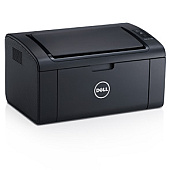
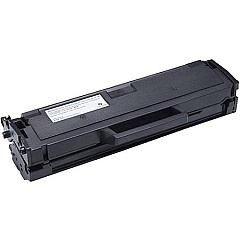
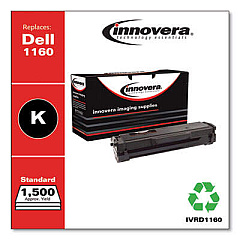
Ensure optimal print quality and performance with genuine Dell B1160 Toner Cartridges for your Dell B1160 printer. These high-yield cartridges are designed to deliver crisp, clear text and sharp images for all your professional printing needs. The Dell YK1PM Black Toner Cartridge offers exceptional value, providing up to 1,500 pages of consistent, high-quality prints. For even greater savings and convenience, consider the Dell YK1PM Black Toner Cartridge Dual Pack, which includes two cartridges at a discounted price. These toner cartridges are specifically engineered to work seamlessly with your Dell B1160 printer, ensuring reliable performance and minimizing the risk of printer damage. Whether you're printing important business documents, educational materials, or healthcare records, Dell B1160 Toner Cartridges deliver the professional results you need. Trust in Dell's quality and reliability to keep your printing operations running smoothly and efficiently.

Dell B1160 Toner Cartridges FAQs

  • What is the page yield of the Dell YK1PM Black Toner Cartridge?

    The Dell YK1PM Black Toner Cartridge has a page yield of up to 1,500 pages.

  • Are these toner cartridges compatible with other Dell printer models?

    These toner cartridges are specifically designed for the Dell B1160 printer. They may not be compatible with other Dell printer models.

  • How long do Dell B1160 Toner Cartridges typically last?

    The lifespan of a toner cartridge depends on usage, but with normal printing, it can last several months to a year.

  • Can I use third-party toner cartridges in my Dell B1160 printer?

    While third-party cartridges may work, using genuine Dell toner cartridges ensures optimal performance and prevents potential printer damage.

  • What's the benefit of purchasing the Dual Pack?

    The Dual Pack offers cost savings compared to buying individual cartridges and ensures you have a replacement on hand when needed.

  • How do I install a new toner cartridge in my Dell B1160 printer?

    Consult your printer's user manual for specific instructions, but generally, you'll need to open the printer, remove the old cartridge, and insert the new one until it clicks into place.

  • Are these toner cartridges environmentally friendly?

    Dell offers a recycling program for used toner cartridges, promoting environmental sustainability.

  • What should I do if my prints appear faded or streaky?

    First, try gently shaking the toner cartridge to redistribute the toner. If the issue persists, the cartridge may need replacement.

  • Can I store unused toner cartridges for long periods?

    Yes, store unopened cartridges in a cool, dry place away from direct sunlight. They typically have a shelf life of 1-2 years.

  • Does using genuine Dell toner cartridges affect my printer's warranty?

    Using genuine Dell toner cartridges helps maintain your printer's warranty, while using third-party cartridges may void it.

Warehouse Locations

Policy & Agreement | Copyright © 1995-2026 BlueDogInk.com
