









Ads

Dell 5310n Black Toner Cartridges

Dell 5310n Copy Paper

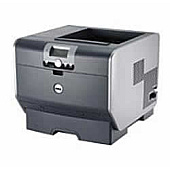
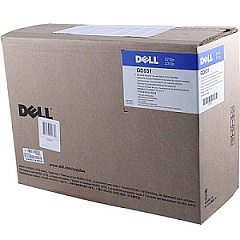
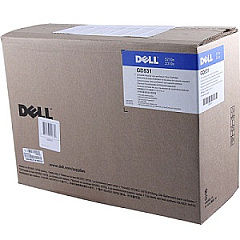
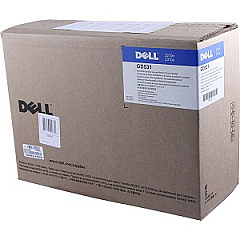
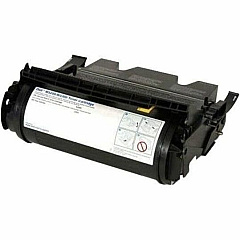
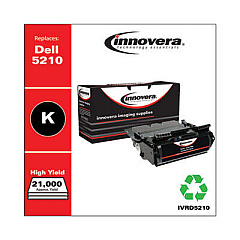
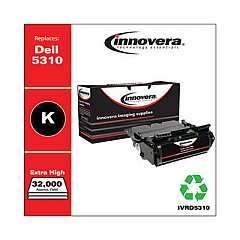
Ensure uninterrupted, high-quality printing with genuine Dell 5310n Toner Cartridges. These reliable cartridges are specifically designed for the Dell 5310n laser printer, delivering crisp, professional-grade text and graphics for your business, educational, healthcare, or government printing needs. The range includes the Dell 341-2938, GD531, HD767, and UD314 Black Toner Cartridges, each offering exceptional page yield and consistent performance. By choosing authentic Dell toner, you'll maximize your printer's efficiency and longevity while minimizing downtime and maintenance costs. These cartridges are engineered to work seamlessly with your Dell 5310n printer, ensuring optimal print quality and preventing potential damage caused by incompatible products. Invest in Dell 5310n Toner Cartridges for reliable, cost-effective printing that meets the demands of high-volume environments across various sectors.

Dell 5310n Toner Cartridges FAQs

  • What is the page yield for Dell 5310n Toner Cartridges?

    Page yields vary depending on the specific cartridge model. For exact yields, please refer to the product specifications for each individual cartridge.

  • Are these toner cartridges compatible with other Dell printer models?

    These cartridges are specifically designed for the Dell 5310n printer. They may not be compatible with other Dell models. Always check your printer's compatibility before purchasing.

  • How long do Dell 5310n Toner Cartridges typically last?

    The lifespan of a toner cartridge depends on your printing volume and the specific cartridge model. Under normal use, they can last several months to a year.

  • Can I use third-party toner cartridges in my Dell 5310n printer?

    While third-party cartridges may work, using genuine Dell toner cartridges ensures optimal performance, print quality, and prevents potential damage to your printer.

  • How do I install a new Dell 5310n Toner Cartridge?

    Installation is typically straightforward. Open the printer's front cover, remove the old cartridge, and insert the new one until it clicks into place. Consult your printer's manual for detailed instructions.

  • Are Dell 5310n Toner Cartridges environmentally friendly?

    Dell offers a recycling program for used toner cartridges, promoting environmental sustainability. Check Dell's website for details on their recycling initiatives.

  • What should I do if my Dell 5310n printer doesn't recognize the new toner cartridge?

    First, ensure the cartridge is properly installed. If the issue persists, try removing and reinserting the cartridge. If problems continue, contact Dell customer support.

  • Can I buy Dell 5310n Toner Cartridges in bulk?

    Yes, bulk purchasing options are often available for businesses and organizations with high-volume printing needs. Contact your Dell representative or authorized reseller for bulk pricing.

  • How can I extend the life of my Dell 5310n Toner Cartridges?

    To maximize cartridge life, use draft mode for internal documents, print in grayscale when color isn't necessary, and ensure your printer is regularly maintained.

  • What's the warranty on Dell 5310n Toner Cartridges?

    Genuine Dell toner cartridges typically come with a standard warranty. Check the product packaging or Dell's website for specific warranty information on each cartridge model.

Warehouse Locations

Policy & Agreement | Copyright © 1995-2026 BlueDogInk.com
