





Ads

Dell 1135n MFP Black Toner Cartridges

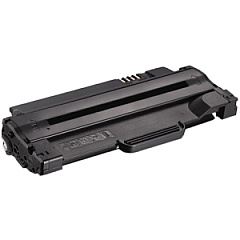
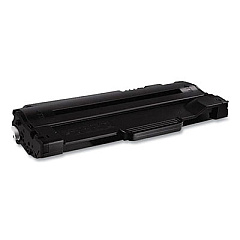
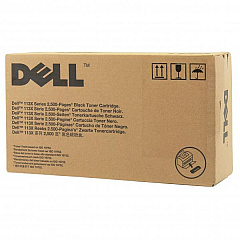
Ensure uninterrupted printing with high-quality Dell 1135n MFP Toner Cartridges. These reliable cartridges are designed specifically for the Dell 1135n multifunction printer, delivering crisp, professional-grade documents for businesses, schools, government offices, and healthcare facilities. Choose between the Dell 2MMJP Black Toner Cartridge and the Dell 3J11D Black Toner Cartridge to meet your printing needs. Both options offer excellent page yield and consistent output, reducing the frequency of replacements and minimizing downtime. These genuine Dell cartridges are engineered to work seamlessly with your 1135n MFP, preventing potential damage to your printer and maintaining optimal performance. Whether you're printing important reports, educational materials, or patient records, these toner cartridges ensure sharp text and clear graphics. Invest in Dell 1135n MFP Toner Cartridges for reliable, high-quality printing that meets the demands of your busy work environment.

Dell 1135n MFP Printers Supplies FAQs

  • What is the page yield for the Dell 2MMJP Black Toner Cartridge?

    The Dell 2MMJP Black Toner Cartridge typically yields around 2,500 pages at 5% coverage.

  • Is the Dell 3J11D Black Toner Cartridge compatible with other Dell printers?

    The Dell 3J11D Black Toner Cartridge is specifically designed for the Dell 1135n MFP and may not be compatible with other Dell printer models.

  • How often should I replace the toner cartridge in my Dell 1135n MFP?

    Replacement frequency depends on your printing volume. Replace the cartridge when print quality diminishes or when prompted by the printer.

  • Are these genuine Dell toner cartridges?

    Yes, both the Dell 2MMJP and Dell 3J11D are genuine Dell toner cartridges designed for optimal performance with the Dell 1135n MFP.

  • Can I use third-party toner cartridges in my Dell 1135n MFP?

    While third-party cartridges may work, using genuine Dell cartridges ensures the best print quality and prevents potential damage to your printer.

  • How do I install a new toner cartridge in my Dell 1135n MFP?

    Open the front cover, remove the old cartridge, unpack the new one, and insert it until it clicks into place. Close the cover to complete installation.

  • What's the difference between the Dell 2MMJP and Dell 3J11D toner cartridges?

    Both cartridges are compatible with the Dell 1135n MFP, but they may have different page yields or slight variations in formulation.

  • Do these toner cartridges come with a warranty?

    Yes, genuine Dell toner cartridges typically come with a warranty against defects in materials and workmanship.

  • How should I store unused toner cartridges?

    Store unused cartridges in a cool, dry place away from direct sunlight. Keep them in their original packaging until ready for use.

  • Are these toner cartridges environmentally friendly?

    Dell offers a recycling program for used toner cartridges, promoting environmental sustainability. Check Dell's website for details on their recycling initiatives.

Warehouse Locations

Policy & Agreement | Copyright © 1995-2026 BlueDogInk.com
