









Ads

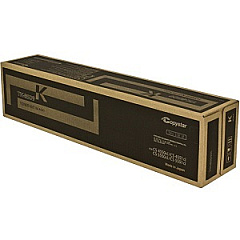
Copystar CS-5551ci Black Toner Cartridges

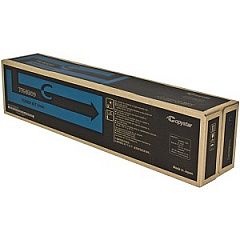
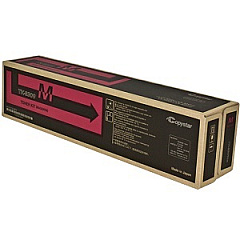
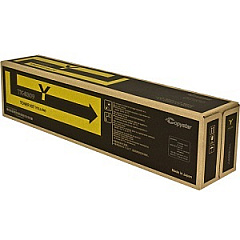
Copystar CS-5551ci Color Toner Cartridges

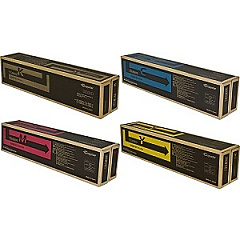
Copystar CS-5551ci Toner Set

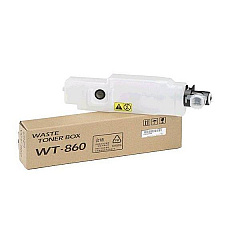
Copystar CS-5551ci Waste Toner Kits

Copystar CS-5551ci Copy Paper

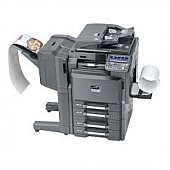
Enhance your printing experience with high-quality Copystar CS-5551ci Toner Cartridges. These premium toner cartridges are designed specifically for the Copystar CS-5551ci multifunction printer, ensuring optimal performance and exceptional print quality. The Copystar TK8509 Toner Cartridge Set includes individual cartridges for cyan, black, magenta, and yellow, allowing you to replace only the color you need. Each cartridge is engineered to deliver crisp text, vibrant colors, and sharp images, making them ideal for businesses, schools, government offices, and healthcare facilities. With their high page yield and reliable performance, these toner cartridges help minimize downtime and maximize productivity. Choose Copystar CS-5551ci Toner Cartridges for consistent, professional-grade prints that meet the demands of your busy work environment.

Copystar CS-5551ci Toner Cartridges FAQs

  • What is the page yield for each Copystar CS-5551ci toner cartridge?

    The page yield varies by color. Black typically yields around 30,000 pages, while cyan, magenta, and yellow yield approximately 20,000 pages each.

  • Are these toner cartridges compatible with other Copystar printer models?

    These toner cartridges are specifically designed for the Copystar CS-5551ci model. They may not be compatible with other Copystar printers.

  • How long do these toner cartridges typically last?

    The lifespan of the cartridges depends on usage, but with average use, they can last several months to a year.

  • Can I purchase individual color cartridges, or do I need to buy the entire set?

    You can purchase individual color cartridges as needed, allowing you to replace only the colors that are running low.

  • Are these genuine Copystar toner cartridges?

    Yes, these are genuine Copystar toner cartridges, ensuring the best quality and compatibility with your CS-5551ci printer.

  • How do I install the toner cartridges in my Copystar CS-5551ci printer?

    Installation is simple. Open the front panel of the printer, remove the old cartridge, and insert the new one until it clicks into place. Detailed instructions are included with each cartridge.

  • What should I do with my empty toner cartridges?

    Copystar offers a recycling program for empty toner cartridges. You can return them to authorized collection points or contact Copystar for more information on their recycling options.

  • Do these toner cartridges come with a warranty?

    Yes, genuine Copystar toner cartridges come with a manufacturer's warranty against defects in materials and workmanship.

  • How can I tell if my toner cartridge is running low?

    The Copystar CS-5551ci printer has a display that shows toner levels. You can also check toner levels through the printer driver on your computer.

  • Are these toner cartridges environmentally friendly?

    Copystar designs their toner cartridges with environmental considerations in mind, using recyclable materials where possible and offering a recycling program for used cartridges.

Warehouse Locations

Policy & Agreement | Copyright © 1995-2026 BlueDogInk.com
