









Ads

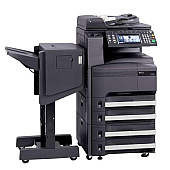
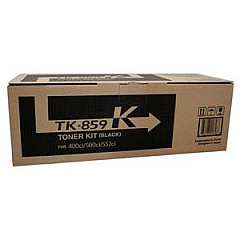
Copystar CS-552ci Black Toner Cartridges

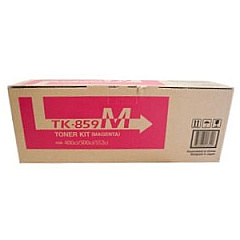
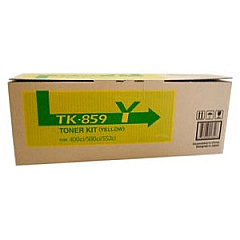
Copystar CS-552ci Color Toner Cartridges

Copystar CS-552ci Toner Set

Copystar CS-552ci Copy Paper

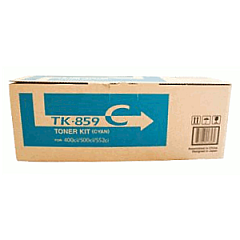
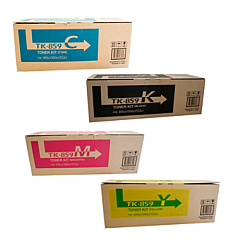
Enhance your printing experience with high-quality Copystar CS-552ci Toner Cartridges. These premium supplies are designed to deliver exceptional results for your Copystar CS-552ci multifunction printer. The comprehensive TK859 Toner Cartridge Set includes individual cartridges for cyan, black, magenta, and yellow, ensuring vibrant color output and crisp text. Each cartridge is engineered to meet Copystar's exacting standards, providing consistent performance and long-lasting prints. The Copystar TK859C Cyan, TK859K Black, TK859M Magenta, and TK859Y Yellow Toner Cartridges work seamlessly with your device to produce professional-grade documents and images. Whether you're printing reports, presentations, or marketing materials, these toner cartridges guarantee superior print quality and reliability. Invest in genuine Copystar CS-552ci Toner Cartridges to maximize your printer's potential and achieve outstanding results for all your printing needs.

Copystar CS-552ci Toner Cartridges FAQs

  • What is the page yield for each Copystar CS-552ci toner cartridge?

    The page yield varies by color. Black typically yields around 25,000 pages, while cyan, magenta, and yellow yield approximately 18,000 pages each.

  • Are these toner cartridges compatible with other Copystar printer models?

    These cartridges are specifically designed for the Copystar CS-552ci model. They may not be compatible with other printer models.

  • How long do these toner cartridges typically last?

    The lifespan of the cartridges depends on usage, but they generally last several months to a year under normal printing conditions.

  • Can I use third-party or remanufactured toner cartridges instead?

    While third-party options exist, using genuine Copystar toner cartridges ensures optimal print quality and prevents potential damage to your printer.

  • How do I install the toner cartridges in my Copystar CS-552ci printer?

    The installation process is straightforward. Open the front panel, remove the old cartridge, and insert the new one until it clicks into place. Detailed instructions are provided in the printer manual.

  • Are these toner cartridges environmentally friendly?

    Copystar designs their cartridges with environmental considerations in mind. They offer recycling programs for used cartridges to minimize waste.

  • What should I do if I experience print quality issues with these cartridges?

    First, ensure the cartridges are properly installed. If issues persist, run a printer cleaning cycle or consult the troubleshooting section in your printer manual.

  • Can I buy individual color cartridges, or do I have to purchase the entire set?

    You can purchase individual color cartridges as needed. The full set is available for convenience, but it's not required.

  • How should I store unused toner cartridges?

    Store cartridges in a cool, dry place away from direct sunlight. Keep them in their original packaging until ready for use to protect them from dust and damage.

  • What is the warranty on these toner cartridges?

    Genuine Copystar toner cartridges typically come with a standard manufacturer's warranty. Check the packaging or contact the seller for specific warranty details.

Warehouse Locations

Policy & Agreement | Copyright © 1995-2026 BlueDogInk.com
