









Ads

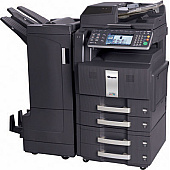
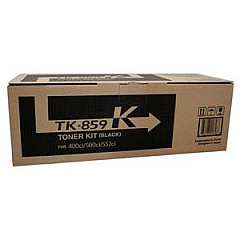
Copystar CS-500ci Black Toner Cartridges

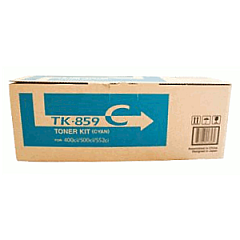
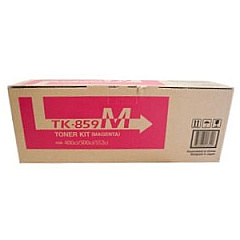
Copystar CS-500ci Color Toner Cartridges

Copystar CS-500ci Toner Set

Copystar CS-500ci Copy Paper

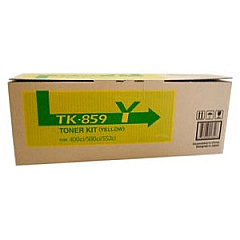
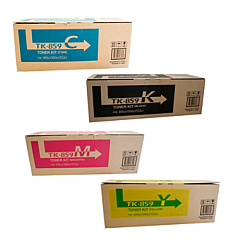
Enhance your printing experience with high-quality Copystar CS-500ci Toner Cartridges. These premium supplies are designed to deliver exceptional results for your Copystar CS-500ci printer, ensuring crisp text and vibrant colors in every document. The comprehensive TK859 Toner Cartridge Set includes individual cartridges for cyan, black, magenta, and yellow, allowing you to replace only the colors you need. Each cartridge is engineered to meet Copystar's exacting standards, guaranteeing optimal performance and longevity. Whether you're printing important business documents, educational materials, or healthcare records, these toner cartridges provide consistent, professional-grade output. With their high yield and reliability, Copystar CS-500ci Toner Cartridges offer an excellent value for businesses, schools, government offices, and healthcare facilities looking to maximize their printing efficiency while maintaining superior print quality.

Copystar CS-500ci Toner Cartridges FAQs

  • How long do Copystar CS-500ci toner cartridges typically last?

    The lifespan of toner cartridges varies depending on usage, but they generally last for several thousand pages. Refer to the specific yield information for each cartridge model.

  • Are these toner cartridges compatible with other Copystar printer models?

    These cartridges are specifically designed for the Copystar CS-500ci. Always check your printer's compatibility before purchasing toner cartridges.

  • Can I buy individual color cartridges, or do I have to purchase the entire set?

    You can buy individual color cartridges (cyan, magenta, yellow) or black cartridges separately, as well as the complete set, depending on your needs.

  • Are these genuine Copystar toner cartridges?

    Yes, these are genuine Copystar toner cartridges designed specifically for the CS-500ci printer model.

  • How do I install the toner cartridges in my Copystar CS-500ci printer?

    Refer to your printer's user manual for specific instructions. Generally, you'll need to open the front panel, remove the old cartridge, and insert the new one until it clicks into place.

  • What should I do with my empty toner cartridges?

    Many office supply stores offer recycling programs for empty toner cartridges. You can also check with Copystar for their recycling options.

  • How can I tell when it's time to replace my toner cartridge?

    Your printer will typically display a warning message when toner is low. You may also notice a decrease in print quality or faded text and images.

  • Do these toner cartridges come with a warranty?

    Yes, genuine Copystar toner cartridges typically come with a manufacturer's warranty. Check the product packaging or contact the seller for specific warranty information.

  • Can I use third-party or refilled toner cartridges in my Copystar CS-500ci printer?

    While third-party cartridges may work, using genuine Copystar toner cartridges ensures the best print quality and helps maintain your printer's warranty.

  • How should I store unused toner cartridges?

    Store unused cartridges in a cool, dry place away from direct sunlight. Keep them in their original packaging until you're ready to use them to protect them from damage and dust.

Warehouse Locations

Policy & Agreement | Copyright © 1995-2026 BlueDogInk.com
