









Ads

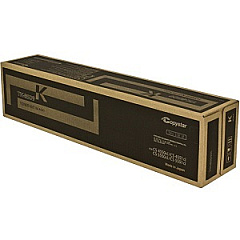
Copystar CS-4550CI Black Toner Cartridges

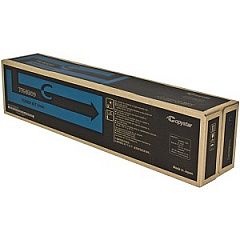
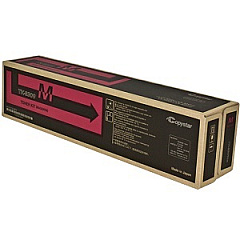
Copystar CS-4550CI Color Toner Cartridges

Copystar CS-4550CI Toner Set

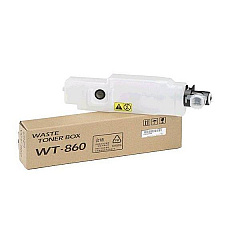
Copystar CS-4550CI Waste Toner Kits

Copystar CS-4550CI Copy Paper

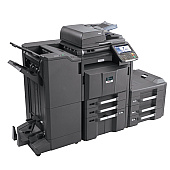
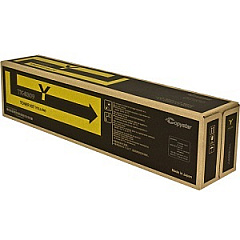
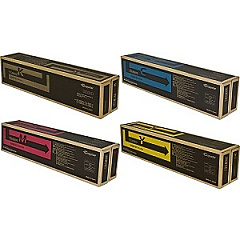
Enhance your printing experience with high-quality Copystar CS-4550CI Toner Cartridges. These reliable toner cartridges are designed specifically for the Copystar CS-4550CI printer, ensuring optimal performance and exceptional print quality. The comprehensive set includes the Copystar TK8509 Toner Cartridge Set, featuring individual cartridges for cyan, black, magenta, and yellow. Each cartridge is engineered to deliver crisp text and vibrant colors, making them ideal for businesses, schools, government offices, and healthcare facilities. With these genuine Copystar toner cartridges, you can expect consistent, professional-grade results for all your printing needs. Whether you're producing important documents, presentations, or marketing materials, these toner cartridges will help you achieve sharp, long-lasting prints that make a lasting impression. Invest in Copystar CS-4550CI Toner Cartridges for unparalleled quality and reliability in your printing tasks.

Copystar CS-4550CI Toner Cartridges FAQs

  • What is the page yield for each Copystar CS-4550CI toner cartridge?

    The page yield varies by color. Black typically yields around 30,000 pages, while cyan, magenta, and yellow yield approximately 20,000 pages each.

  • Are these toner cartridges compatible with other Copystar printer models?

    These toner cartridges are specifically designed for the Copystar CS-4550CI model. They may not be compatible with other printer models.

  • How long do these toner cartridges typically last?

    The lifespan of the cartridges depends on usage, but under normal printing conditions, they can last several months to a year.

  • Can I use third-party or remanufactured toner cartridges instead?

    While third-party options exist, using genuine Copystar toner cartridges ensures the best print quality and prevents potential damage to your printer.

  • How do I install the toner cartridges in my Copystar CS-4550CI printer?

    Refer to your printer's user manual for specific instructions. Generally, you'll need to open the front panel, remove the old cartridge, and insert the new one until it clicks into place.

  • Are these toner cartridges environmentally friendly?

    Copystar designs their toner cartridges with environmental considerations in mind. Many components are recyclable, and the company offers a recycling program for used cartridges.

  • How should I store unused toner cartridges?

    Store unused cartridges in a cool, dry place away from direct sunlight. Keep them in their original packaging until ready for use.

  • What should I do if I experience print quality issues with these toner cartridges?

    First, ensure the cartridge is properly installed. If issues persist, try printing a test page or cleaning the printer. If problems continue, contact Copystar support for assistance.

  • Can I buy individual color cartridges, or do I have to purchase the entire set?

    You can purchase individual color cartridges (cyan, magenta, yellow, or black) as needed, or buy the complete set if you prefer.

  • What is the warranty on these toner cartridges?

    Genuine Copystar toner cartridges typically come with a manufacturer's warranty. Check the packaging or contact the seller for specific warranty information.

Warehouse Locations

Policy & Agreement | Copyright © 1995-2026 BlueDogInk.com
