









Ads

Copystar CS-4501i Black Toner Cartridges

Copystar CS-4501i Waste Toner Kits

Copystar CS-4501i Maintenance Kits

Copystar CS-4501i Copy Paper

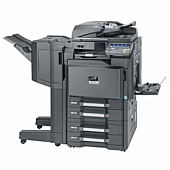
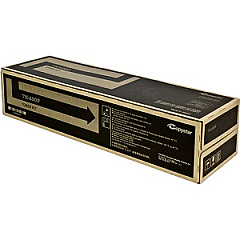
Enhance your office productivity with genuine Copystar CS-4501i Toner Cartridges. Designed specifically for the Copystar CS-4501i multifunction printer, these high-quality toner cartridges ensure crisp, professional-grade prints every time. The Copystar TK6309 Black Toner Cartridge is a key component, delivering exceptional print quality and reliability. With its high yield capacity, you'll experience fewer interruptions and reduced downtime. These toner cartridges are engineered to work seamlessly with your Copystar device, guaranteeing optimal performance and longevity. Whether you're printing important business documents, educational materials, or healthcare records, trust in the superior output of Copystar CS-4501i Toner Cartridges. Invest in genuine supplies to protect your printer and maintain its efficiency. Choose Copystar for consistent, professional results that meet the demands of busy offices, schools, government agencies, and healthcare facilities.

Copystar CS-4501i Toner Cartridges FAQs

  • How long does a Copystar TK6309 Black Toner Cartridge last?

    The Copystar TK6309 Black Toner Cartridge typically yields around 35,000 pages, depending on print density and usage patterns.

  • Are these toner cartridges compatible with other Copystar models?

    The Copystar TK6309 Black Toner Cartridge is specifically designed for the CS-4501i model and may not be compatible with other Copystar printers.

  • Can I use third-party toner cartridges in my Copystar CS-4501i?

    While third-party cartridges may work, using genuine Copystar toner cartridges is recommended to ensure optimal print quality and prevent potential damage to your printer.

  • How do I install a new toner cartridge in my Copystar CS-4501i?

    Refer to your printer's user manual for specific instructions, but generally, you'll need to open the front panel, remove the old cartridge, and insert the new one until it clicks into place.

  • Are these toner cartridges environmentally friendly?

    Copystar toner cartridges are designed with environmental considerations in mind and can be recycled through Copystar's recycling program.

  • How can I tell if my toner cartridge is running low?

    Your Copystar CS-4501i will display a low toner warning on its control panel when the cartridge is nearing depletion.

  • Do these toner cartridges come with a warranty?

    Yes, genuine Copystar toner cartridges typically come with a manufacturer's warranty against defects in materials and workmanship.

  • Can I store extra toner cartridges for future use?

    Yes, you can store unopened toner cartridges in a cool, dry place away from direct sunlight for up to two years without affecting their performance.

  • How do I dispose of empty toner cartridges?

    Empty cartridges should be recycled. Many office supply stores offer recycling programs, or you can use Copystar's recycling service.

  • Are there color toner cartridges available for the Copystar CS-4501i?

    The Copystar CS-4501i is a monochrome printer, so it only uses black toner cartridges. Color cartridges are not applicable for this model.

Warehouse Locations

Policy & Agreement | Copyright © 1995-2026 BlueDogInk.com
