










Ads

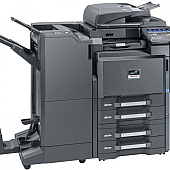
Copystar CS-3510I Black Toner Cartridges

Copystar CS-3510I Waste Toner Kits

Copystar CS-3510I Copy Paper

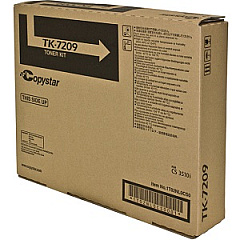
Enhance your office productivity with genuine Copystar CS-3510I Toner Cartridges. These high-quality cartridges are specifically designed for the Copystar CS-3510I multifunction printer, ensuring optimal performance and crisp, professional-grade output. The Copystar TK7209 Black Toner Cartridge delivers exceptional print quality with its fine particle toner, producing sharp text and clear images. With a generous yield, these cartridges minimize interruptions and reduce overall printing costs. Compatible with various business, educational, healthcare, and government environments, these toner cartridges are engineered to meet the demands of high-volume printing. Experience consistent, reliable results and minimize downtime with these genuine Copystar supplies. Invest in the Copystar CS-3510I Toner Cartridges to maintain your printer's efficiency and extend its lifespan, ensuring your documents always look their best.

Copystar CS-3510I Toner Cartridges FAQs

  • What is the page yield of the Copystar TK7209 Black Toner Cartridge?

    The Copystar TK7209 Black Toner Cartridge has an estimated yield of 35,000 pages at 5% coverage.

  • Are these toner cartridges compatible with other Copystar printer models?

    The Copystar TK7209 Black Toner Cartridge is specifically designed for the CS-3510I model. It may not be compatible with other Copystar printers.

  • How long do these toner cartridges typically last?

    The lifespan of the cartridge depends on usage, but with normal printing habits, it can last several months to a year.

  • Are these genuine Copystar toner cartridges?

    Yes, these are genuine Copystar toner cartridges, ensuring optimal performance and print quality.

  • Can I recycle the used toner cartridges?

    Yes, Copystar offers a recycling program for used toner cartridges. Check their website for details on how to participate.

  • Do these toner cartridges come with a warranty?

    Yes, genuine Copystar toner cartridges typically come with a manufacturer's warranty. Check the packaging or contact the seller for specific warranty information.

  • How should I store unused toner cartridges?

    Store unused cartridges in a cool, dry place away from direct sunlight. Keep them in their original packaging until ready for use.

  • Are these toner cartridges easy to install?

    Yes, Copystar designs their toner cartridges for easy installation. The printer manual provides step-by-step instructions for replacement.

  • How can I tell if my toner cartridge is running low?

    The Copystar CS-3510I printer typically has a display that shows toner levels. You may also notice a decrease in print quality when the toner is low.

  • Can I use third-party or refilled toner cartridges in my Copystar CS-3510I printer?

    While third-party cartridges may work, using genuine Copystar toner cartridges is recommended to ensure optimal print quality and to maintain your printer's warranty.

Warehouse Locations

Policy & Agreement | Copyright © 1995-2026 BlueDogInk.com
