









Ads

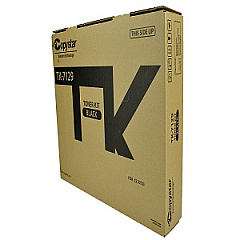
Copystar CS-3212i Black Toner Cartridges

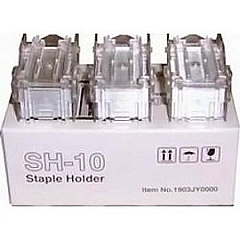
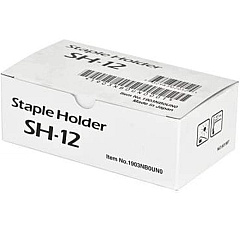
Copystar CS-3212i Printer Staples

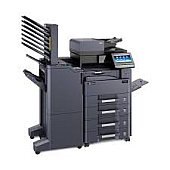
Copystar CS-3212i Printer Accessories

Copystar CS-3212i Copy Paper

Enhance your office productivity with genuine Copystar CS-3212i Toner Cartridges. Designed specifically for the Copystar CS-3212i multifunction printer, these high-quality toner cartridges ensure crisp, professional-grade prints every time. The Copystar TK7129 Black Toner Cartridge is the key component for delivering sharp text and clear images, making it ideal for businesses, educational institutions, government offices, and healthcare facilities. With its impressive page yield and consistent performance, this toner cartridge minimizes downtime and maximizes efficiency. Choose authentic Copystar supplies to maintain your printer's warranty and achieve optimal print quality. Whether you're printing important documents, reports, or presentations, these toner cartridges provide the reliability and excellence you need. Invest in Copystar CS-3212i Toner Cartridges for superior results and long-lasting performance in your high-volume printing environment.

Copystar CS-3212i Toner Cartridges FAQs

  • What is the page yield of the Copystar TK7129 Black Toner Cartridge?

    The Copystar TK7129 Black Toner Cartridge has an estimated yield of 25,000 pages at 5% coverage.

  • Is this toner cartridge compatible with other Copystar printer models?

    The TK7129 is specifically designed for the Copystar CS-3212i. It may not be compatible with other models.

  • How long does the toner cartridge typically last?

    The lifespan of the cartridge depends on usage, but it generally lasts several months in a typical office environment.

  • Are these genuine Copystar toner cartridges?

    Yes, these are authentic Copystar toner cartridges, ensuring optimal performance and maintaining your printer's warranty.

  • Can I recycle the used toner cartridges?

    Yes, Copystar offers a recycling program for used toner cartridges. Check their website for details on how to participate.

  • How do I install the new toner cartridge?

    Installation is simple. Open the printer's front panel, remove the old cartridge, and insert the new one until it clicks into place.

  • What should I do if I experience print quality issues?

    First, ensure you're using genuine Copystar toner. If issues persist, try cleaning the printer's internal components or contact Copystar support.

  • Is there a warranty on these toner cartridges?

    Yes, genuine Copystar toner cartridges come with a manufacturer's warranty against defects in materials and workmanship.

  • Can I buy in bulk for my office?

    Yes, bulk purchasing options are available. Contact the seller for information on volume discounts and business accounts.

  • How should I store unused toner cartridges?

    Store unused cartridges in a cool, dry place away from direct sunlight. Keep them in their original packaging until ready for use.

Warehouse Locations

Policy & Agreement | Copyright © 1995-2026 BlueDogInk.com
