




Ads

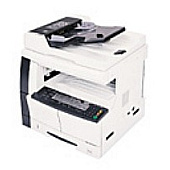
Copystar CS-1650 Black Toner Cartridges

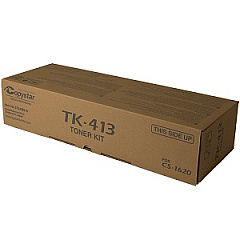
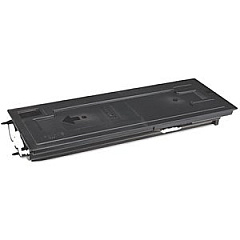
Enhance your printing efficiency with genuine Copystar CS-1650 Toner Cartridges. Designed specifically for the Copystar CS-1650 multifunction printer, these high-quality cartridges ensure crisp, professional-grade output for all your business documents. The Copystar TK413 Black Toner Cartridge is the key component in this lineup, delivering exceptional print quality and reliability. With a generous yield, it minimizes interruptions and reduces overall printing costs. These toner cartridges are engineered to work seamlessly with your Copystar CS-1650, preventing potential damage to your printer and maintaining its optimal performance. Whether you're printing reports, presentations, or everyday correspondence, trust in the superior quality and consistency of Copystar CS-1650 Toner Cartridges. Invest in these genuine supplies to maximize your printer's potential and achieve outstanding results that leave a lasting impression on your clients and colleagues.

Copystar CS-1650 Printers Supplies FAQs

  • What is the page yield of the Copystar TK413 Black Toner Cartridge?

    The Copystar TK413 Black Toner Cartridge typically yields around 15,000 pages at 5% coverage.

  • Are these toner cartridges compatible with other Copystar printer models?

    The Copystar CS-1650 Toner Cartridges are specifically designed for the CS-1650 model and may not be compatible with other Copystar printers.

  • How long do these toner cartridges typically last?

    The lifespan of the toner cartridge depends on usage, but under normal printing conditions, it can last several months to a year.

  • Are these genuine Copystar toner cartridges?

    Yes, these are genuine Copystar toner cartridges, ensuring optimal performance and print quality.

  • Can I use third-party or refilled toner cartridges in my Copystar CS-1650?

    While third-party cartridges may work, using genuine Copystar toner cartridges is recommended to maintain print quality and prevent potential printer damage.

  • How do I install the Copystar TK413 Black Toner Cartridge?

    Installation is simple: open the printer's front cover, remove the old cartridge, and insert the new one until it clicks into place. Detailed instructions are provided in the printer's manual.

  • What should I do with my empty toner cartridges?

    Copystar offers a recycling program for empty toner cartridges. Check their website or contact your local dealer for recycling options.

  • How can I tell when my toner cartridge needs replacement?

    Your Copystar CS-1650 will display a low toner warning on its control panel when the cartridge is running low and needs replacement.

  • Are these toner cartridges covered by a warranty?

    Yes, genuine Copystar toner cartridges come with a manufacturer's warranty against defects in materials and workmanship.

  • Can I buy these toner cartridges in bulk for my office?

    Yes, bulk purchasing options are often available for businesses. Contact the supplier or Copystar directly for volume pricing and offers.

Warehouse Locations

Policy & Agreement | Copyright © 1995-2026 BlueDogInk.com
