





Ads

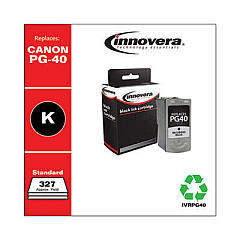
Canon PIXUS MP170 Black Ink Cartridges

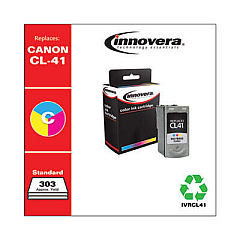
Canon PIXUS MP170 Color Ink Cartridges

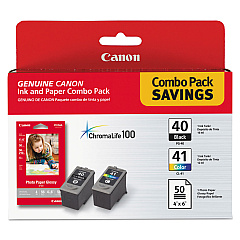
Ensure your Canon PIXUS MP170 printer continues to deliver exceptional prints with our high-quality Canon PIXUS MP170 Ink Cartridges. Compatible with the Canon PG-40 black and CL-41 color cartridges, these genuine supplies guarantee optimal performance and vivid output. The PG-40 offers crisp, sharp text for professional documents, while the CL-41 produces vibrant colors for stunning photos and graphics. When paired with Canon's GP502 glossy photo paper, you'll achieve lab-quality prints right at home or in the office. These cartridges are designed to work seamlessly with your PIXUS MP170, ensuring consistent results and preventing potential damage to your printer. Whether you're printing important business reports, school projects, or cherished family photos, our Canon PIXUS MP170 Ink Cartridges provide the reliability and quality you need for all your printing tasks.

Canon PIXUS MP170 Ink Cartridges FAQs

  • How long do Canon PIXUS MP170 ink cartridges typically last?

    The lifespan of ink cartridges varies depending on usage, but on average, they can last for 200-300 pages for black ink and 300-400 pages for color ink.

  • Are compatible ink cartridges available for the Canon PIXUS MP170?

    Yes, there are compatible cartridges available, but using genuine Canon cartridges is recommended for optimal print quality and to protect your printer.

  • How can I tell when my ink cartridges need to be replaced?

    Your printer will display a low ink warning on its screen or through your computer. You may also notice a decrease in print quality.

  • Can I use the Canon PIXUS MP170 if one cartridge is empty?

    The printer may still function if the black cartridge has ink, but it's best to replace empty cartridges to maintain print quality and prevent damage to the printer.

  • How should I store unused ink cartridges?

    Store cartridges in a cool, dry place in their original packaging. Avoid extreme temperatures and direct sunlight.

  • Is it possible to refill Canon PIXUS MP170 ink cartridges?

    While it's possible to refill cartridges, it's not recommended as it may affect print quality and potentially damage your printer.

  • What's the difference between the PG-40 and CL-41 cartridges?

    The PG-40 is a black ink cartridge, while the CL-41 is a tri-color cartridge containing cyan, magenta, and yellow inks.

  • How do I properly install new ink cartridges in my Canon PIXUS MP170?

    Open the printer cover, wait for the cartridge holder to move to the center, remove the old cartridge, insert the new one until it clicks, and close the cover.

  • Can I use my Canon PIXUS MP170 ink cartridges in other Canon printer models?

    The PG-40 and CL-41 cartridges are compatible with several Canon printer models, but always check your printer's manual for specific compatibility.

  • What should I do if my printer doesn't recognize the new ink cartridge?

    Try removing and reinserting the cartridge, cleaning the cartridge contacts, or running a printer head alignment. If issues persist, contact Canon support.

Warehouse Locations

Policy & Agreement | Copyright © 1995-2026 BlueDogInk.com
