





Ads

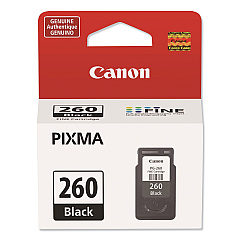
Canon PIXMA TS5320 Green Black Ink Cartridges

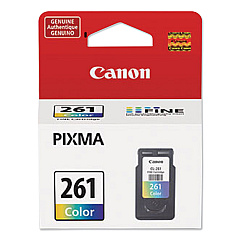
Canon PIXMA TS5320 Green Color Ink Cartridges

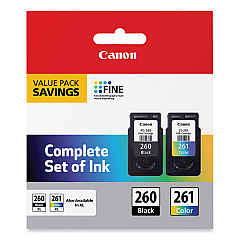
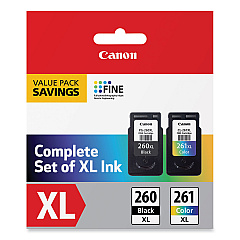
Canon PIXMA TS5320 Green Ink Set

Enhance your printing experience with Canon PIXMA TS5320 Green Ink Cartridges, designed to deliver exceptional quality and vibrant results. This versatile printer supports a range of cartridges, including the Canon CL-261 Color Ink Cartridge and its high-yield XL counterpart, as well as the PG-260 Black Ink Cartridge in standard and XL capacities. For cost-effective printing, consider the PG-260 / CLI-261 Value Pack, which combines both black and color cartridges. These genuine Canon ink cartridges ensure optimal performance and longevity for your PIXMA TS5320 Green printer, producing crisp text and vivid images for all your home, office, or creative projects. With easy installation and reliable output, these cartridges are the perfect choice for maintaining your printer's efficiency and print quality.

Canon PIXMA TS5320 Green Ink Cartridges FAQs

  • What ink cartridges are compatible with the Canon PIXMA TS5320 Green printer?

    The Canon PIXMA TS5320 Green is compatible with Canon CL-261 Color, CL-261XL Color, PG-260 Black, and PG-260XL Black ink cartridges, as well as value pack combinations.

  • How long do Canon PIXMA TS5320 Green Ink Cartridges typically last?

    The lifespan of ink cartridges varies depending on usage, but XL cartridges generally last longer than standard ones. On average, they can print hundreds of pages before needing replacement.

  • Can I use third-party ink cartridges in my Canon PIXMA TS5320 Green printer?

    While third-party cartridges may work, using genuine Canon ink cartridges is recommended to ensure optimal print quality and to maintain your printer's warranty.

  • What's the difference between standard and XL ink cartridges?

    XL cartridges contain more ink than standard cartridges, allowing for more prints before replacement. They are typically more cost-effective for high-volume printing.

  • How do I install new ink cartridges in my Canon PIXMA TS5320 Green printer?

    Open the printer's front cover, wait for the cartridge holder to move to the center, remove the old cartridge, and insert the new one until it clicks into place. Close the cover to complete installation.

  • Are Canon PIXMA TS5320 Green Ink Cartridges recyclable?

    Yes, Canon offers a recycling program for used ink cartridges. Check Canon's website for details on how to participate in their recycling initiative.

  • What should I do if my printer doesn't recognize the new ink cartridge?

    Ensure the cartridge is properly installed and compatible with your printer model. If issues persist, clean the cartridge contacts and try reinserting it, or contact Canon support for assistance.

  • Can I use color ink cartridges to print in black and white?

    While it's possible, it's not recommended as it's less efficient and may result in a grayish output. For best results, use the black ink cartridge for monochrome printing.

  • How can I check the ink levels in my Canon PIXMA TS5320 Green printer?

    You can check ink levels through the printer's display panel, the Canon Print app, or your computer's printer properties window, depending on your setup.

  • What's the shelf life of unopened Canon PIXMA TS5320 Green Ink Cartridges?

    Unopened ink cartridges typically have a shelf life of 1-2 years from the production date. Always check the expiration date on the package before use.

Warehouse Locations

Policy & Agreement | Copyright © 1995-2026 BlueDogInk.com
