





Ads

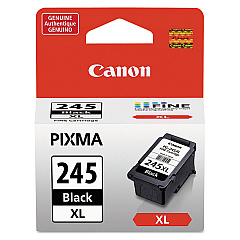
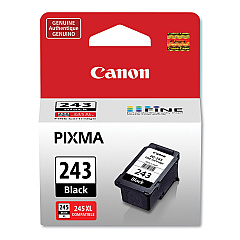
Canon PIXMA TS205 Black Ink Cartridges

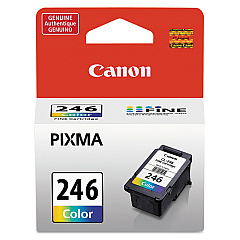
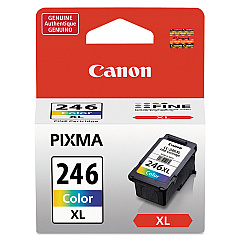
Canon PIXMA TS205 Color Ink Cartridges

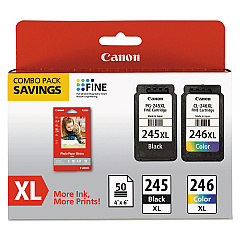
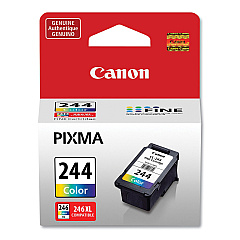
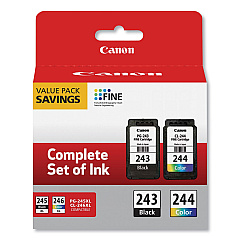
Enhance your printing experience with genuine Canon PIXMA TS205 Ink Cartridges. These high-quality cartridges ensure crisp text and vibrant colors for all your printing needs. Choose from a range of options including the Canon CL-244 and CL-246 Color Ink Cartridges, as well as their high-yield XL counterparts. For sharp black prints, rely on the Canon PG-243 and PG-245 Black Ink Cartridges. Save money and time with convenient combo packs like the PG-243 CL-244 Value Pack or the PG-245 CL-246 XL Combo Pack. These cartridges are designed specifically for your Canon PIXMA TS205 printer, guaranteeing optimal performance and longevity. Whether you're printing documents, photos, or creative projects, these ink cartridges deliver exceptional results every time. Trust in Canon's superior ink technology to bring your ideas to life with stunning clarity and color accuracy.

Canon PIXMA TS205 Ink Cartridges FAQs

  • Are these ink cartridges compatible with other Canon printers?

    While these cartridges are designed for the Canon PIXMA TS205, they may be compatible with other Canon printer models. Always check your printer's manual or Canon's website for specific compatibility information.

  • What's the difference between regular and XL ink cartridges?

    XL cartridges contain more ink and typically yield more printed pages than regular cartridges, making them more cost-effective for high-volume printing.

  • How long do these ink cartridges last?

    The lifespan of ink cartridges varies depending on usage and print settings. On average, a standard cartridge can last for several hundred pages.

  • Can I use third-party ink cartridges in my Canon PIXMA TS205?

    While third-party cartridges may work, using genuine Canon ink cartridges ensures the best print quality and helps maintain your printer's warranty.

  • How do I install these ink cartridges?

    Installation is simple. Open your printer's ink cartridge compartment, remove the old cartridge, and insert the new one until it clicks into place. Follow the on-screen instructions to complete the process.

  • What's the shelf life of unopened ink cartridges?

    Unopened ink cartridges typically have a shelf life of 1-2 years from the date of manufacture when stored properly.

  • Are these cartridges recyclable?

    Yes, Canon offers a recycling program for used ink cartridges. Check their website for details on how to participate.

  • What should I do if my printer doesn't recognize the new cartridge?

    Try removing and reinserting the cartridge. If the issue persists, clean the cartridge contacts and try again. If problems continue, contact Canon support.

  • Can I mix different brands of ink cartridges in my Canon PIXMA TS205?

    It's not recommended to mix brands. Using genuine Canon cartridges ensures optimal print quality and prevents potential damage to your printer.

  • How can I extend the life of my ink cartridges?

    To extend cartridge life, print in draft mode when possible, avoid leaving the printer idle for long periods, and keep the print heads clean.

Warehouse Locations

Policy & Agreement | Copyright © 1995-2026 BlueDogInk.com
