





Ads

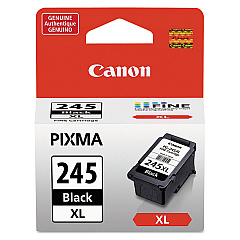
Canon PIXMA TR4550 Black Ink Cartridges

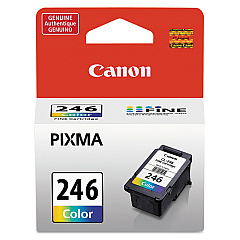
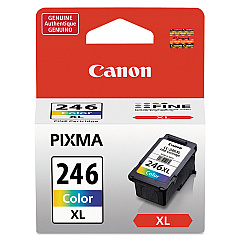
Canon PIXMA TR4550 Color Ink Cartridges

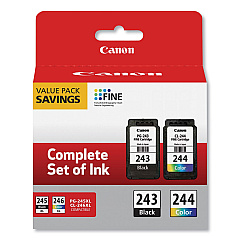
Enhance your printing experience with genuine Canon PIXMA TR4550 Ink Cartridges. These high-quality cartridges are designed to deliver exceptional results for your home or small office needs. Choose from a range of options, including the standard Canon CL-246 Color Ink Cartridge or the high-yield Canon CL-246XL for more prints. For crisp black text, opt for the Canon PG-245 Black Ink Cartridge or its XL counterpart for extended use. The Canon PG-243 CL-244 Value Pack offers a cost-effective solution for those who print frequently. These cartridges ensure your Canon PIXMA TR4550 produces vivid colors, sharp text, and long-lasting prints. Whether you're printing documents, photos, or creative projects, these genuine Canon ink cartridges guarantee optimal performance and reliability, making them the perfect choice for your printing needs.

Canon PIXMA TR4550 Ink Cartridges FAQs

  • What ink cartridges are compatible with the Canon PIXMA TR4550?

    The Canon PIXMA TR4550 is compatible with Canon CL-246, CL-246XL, PG-245, PG-245XL, and the PG-243 CL-244 Value Pack.

  • How long do Canon PIXMA TR4550 ink cartridges typically last?

    The lifespan of ink cartridges varies depending on usage, but XL cartridges generally last longer than standard ones.

  • Can I use third-party ink cartridges in my Canon PIXMA TR4550?

    While third-party cartridges may work, using genuine Canon ink cartridges is recommended for optimal print quality and to maintain your printer's warranty.

  • What's the difference between standard and XL ink cartridges?

    XL cartridges contain more ink and typically yield more prints than standard cartridges, making them more cost-effective for frequent printing.

  • How do I install new ink cartridges in my Canon PIXMA TR4550?

    Open the printer's front cover, wait for the cartridge holder to move to the center, remove the old cartridge, and insert the new one until it clicks into place.

  • Can I use color ink cartridges to print in black and white?

    While possible, it's not recommended as it's less efficient and may result in a grayish output. Use black ink cartridges for best results when printing in black and white.

  • How can I check the ink levels in my Canon PIXMA TR4550?

    You can check ink levels through the printer's display panel or by using the Canon printer software on your computer.

  • What should I do if my Canon PIXMA TR4550 doesn't recognize a new ink cartridge?

    Try removing and reinserting the cartridge, ensuring it's properly seated. If the issue persists, clean the cartridge contacts and try again.

  • Is it necessary to replace all ink cartridges at the same time?

    No, you only need to replace the cartridge that has run out of ink. However, it's a good idea to have spare cartridges on hand.

  • Can I recycle my used Canon PIXMA TR4550 ink cartridges?

    Yes, Canon offers a recycling program for used ink cartridges. Check their website or local office supply stores for recycling options.

Warehouse Locations

Policy & Agreement | Copyright © 1995-2026 BlueDogInk.com
