





Ads

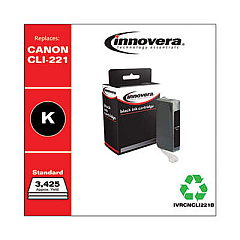
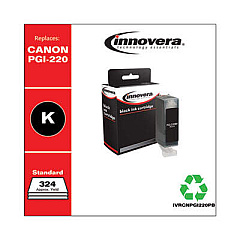
Canon PIXMA SFP2 Black Ink Cartridges

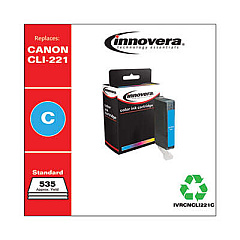
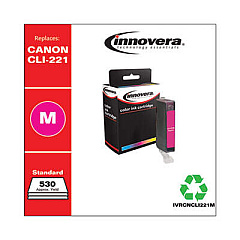
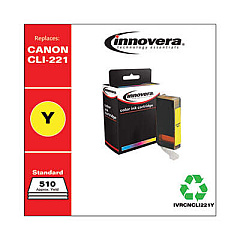
Canon PIXMA SFP2 Color Ink Cartridges

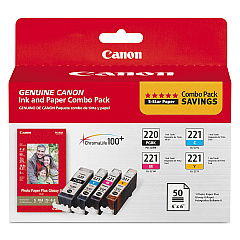
Enhance your printing experience with genuine Canon PIXMA SFP2 Ink Cartridges. These high-quality cartridges are designed specifically for the Canon PIXMA SFP2 printer, ensuring optimal performance and stunning print results. The Canon PGI-220 CLI-221 Combo Pack offers a convenient and cost-effective solution for all your printing needs. With separate ink tanks for black, cyan, magenta, and yellow, you can replace only the colors you need, reducing waste and saving money. These cartridges deliver crisp text, vibrant colors, and long-lasting prints that resist fading. Whether you're printing important documents for your business, school projects, or cherished family photos, Canon PIXMA SFP2 Ink Cartridges provide the reliability and quality you can trust. Experience the difference with genuine Canon ink cartridges and bring your ideas to life with exceptional clarity and brilliance.

Canon PIXMA SFP2 Ink Cartridges FAQs

  • How long do Canon PIXMA SFP2 Ink Cartridges typically last?

    The lifespan of ink cartridges varies depending on usage, but on average, they can last for 200-300 pages.

  • Are these cartridges compatible with other Canon printers?

    These cartridges are specifically designed for the Canon PIXMA SFP2 printer. Always check your printer's compatibility before purchasing.

  • Can I use third-party ink cartridges in my Canon PIXMA SFP2 printer?

    While third-party cartridges may work, using genuine Canon cartridges ensures the best print quality and protects your printer's warranty.

  • How do I install the Canon PGI-220 CLI-221 Combo Pack?

    Simply open your printer's ink cartridge compartment, remove the old cartridges, and insert the new ones until they click into place.

  • What's the difference between PGI and CLI cartridges?

    PGI cartridges contain pigment-based black ink for text, while CLI cartridges contain dye-based inks for color printing.

  • How can I tell when my ink cartridges are running low?

    Your printer software will typically alert you when ink levels are low. You can also check ink levels through your printer's control panel.

  • Are these cartridges environmentally friendly?

    Canon offers a cartridge recycling program to help reduce environmental impact. Check their website for details on how to participate.

  • Can I buy individual color cartridges instead of the combo pack?

    Yes, individual color cartridges are available for purchase if you only need to replace specific colors.

  • How should I store unused ink cartridges?

    Store cartridges in a cool, dry place in their original packaging until ready for use. Avoid extreme temperatures and direct sunlight.

  • What should I do if my printer doesn't recognize the new cartridges?

    Try removing and reinserting the cartridges. If the issue persists, clean the cartridge contacts and try again. If problems continue, contact Canon support.

Warehouse Locations

Policy & Agreement | Copyright © 1995-2026 BlueDogInk.com
