





Ads

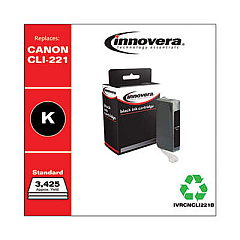
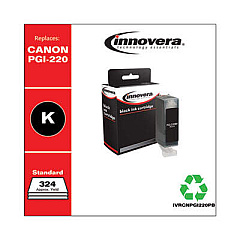
Canon PIXMA PMFP1 Black Ink Cartridges

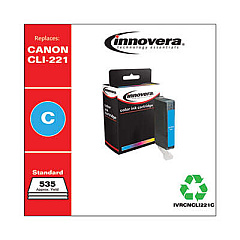
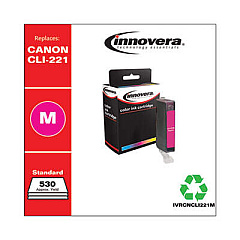
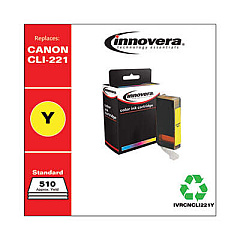
Canon PIXMA PMFP1 Color Ink Cartridges

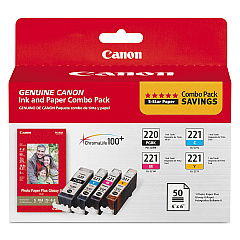
Ensure your Canon PIXMA PMFP1 printer continues to deliver exceptional print quality with genuine Canon PIXMA PMFP1 Ink Cartridges. The Canon PGI-220 CLI-221 Combo Pack offers a cost-effective solution for all your printing needs, whether you're producing vibrant color photos or crisp black text documents. These high-capacity cartridges are designed to work seamlessly with your PIXMA PMFP1 printer, providing consistent, fade-resistant results page after page. The combo pack includes both black and color cartridges, allowing you to replace all your inks at once or as needed. With Canon's advanced ink technology, you'll enjoy superior print quality, faster drying times, and reduced smudging. Don't compromise on quality – choose genuine Canon ink cartridges to keep your PIXMA PMFP1 performing at its best, ensuring your important documents and cherished memories are preserved with stunning clarity and color accuracy.

Canon PIXMA PMFP1 Ink Cartridges FAQs

  • How long do Canon PIXMA PMFP1 ink cartridges typically last?

    The lifespan of ink cartridges varies depending on usage, but on average, they can last for 200-300 pages for black ink and 300-400 pages for color ink.

  • Can I use third-party ink cartridges in my Canon PIXMA PMFP1 printer?

    While third-party cartridges may work, Canon recommends using genuine Canon ink cartridges for optimal print quality and to avoid potential damage to your printer.

  • How do I know when it's time to replace my ink cartridges?

    Your printer will display a low ink warning on its screen or through your computer when cartridges need replacement. You may also notice a decrease in print quality.

  • Are Canon PIXMA PMFP1 ink cartridges recyclable?

    Yes, Canon offers a recycling program for used ink cartridges. You can return them to Canon or participating retailers for proper recycling.

  • Can I replace individual color cartridges or do I need to replace all colors at once?

    The Canon PIXMA PMFP1 allows you to replace individual color cartridges as needed, which can help save money and reduce waste.

  • How should I store unused ink cartridges?

    Store unused cartridges in a cool, dry place away from direct sunlight. Keep them in their original packaging until ready for use to prevent drying out.

  • What's the difference between PGI and CLI cartridges?

    PGI (Pigment Ink) cartridges contain black ink for text, while CLI (Chromalife Ink) cartridges contain color inks for photos and graphics.

  • How do I properly install new ink cartridges in my Canon PIXMA PMFP1?

    Open the printer cover, wait for the cartridge holder to move to the center, remove the old cartridge, insert the new one until it clicks, and close the cover. The printer will then align the cartridges automatically.

  • Can I use Canon PIXMA PMFP1 ink cartridges in other Canon printer models?

    Canon PIXMA PMFP1 ink cartridges are designed specifically for this model. While they may fit some other Canon printers, it's best to check your printer's manual for compatibility.

  • What should I do if my printer doesn't recognize a new ink cartridge?

    Try removing and reinserting the cartridge, ensuring it's properly seated. Clean the cartridge contacts with a lint-free cloth. If issues persist, the cartridge may be defective and need replacement.

Warehouse Locations

Policy & Agreement | Copyright © 1995-2026 BlueDogInk.com
