





Ads

Canon PIXMA MX495 Black Ink Cartridges

Canon PIXMA MX495 Color Ink Cartridges

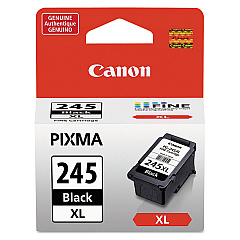
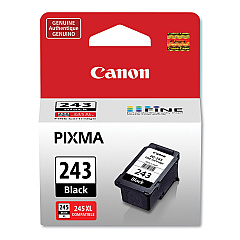
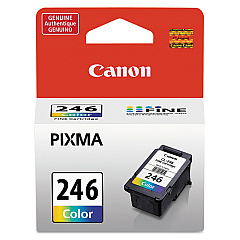
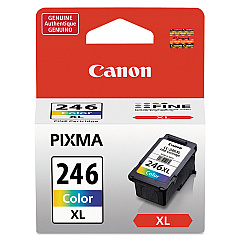
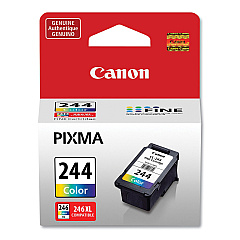
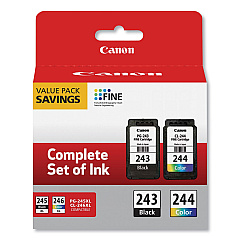
Ensure optimal print quality with genuine Canon PIXMA MX495 Ink Cartridges. This versatile all-in-one printer demands high-performance ink to deliver crisp text and vibrant images. Choose from a range of cartridges including the Canon CL-244 and CL-246 for vivid color prints, or the PG-243 and PG-245 for sharp black text. For high-volume printing, opt for the XL versions like the CL-246XL and PG-245XL, offering extended yield. The PG-243 CL-244 Value Pack provides a cost-effective solution for both color and monochrome printing needs. Whether you're printing documents for business, education, or healthcare purposes, these authentic Canon cartridges ensure consistent, professional results. Maximize your Canon PIXMA MX495's potential with these reliable ink supplies, designed to meet the diverse printing demands of various sectors.

Canon PIXMA MX495 Ink Cartridges FAQs

  • What ink cartridges are compatible with the Canon PIXMA MX495?

    The Canon PIXMA MX495 is compatible with CL-244, CL-246, CL-246XL for color, and PG-243, PG-245, PG-245XL for black ink.

  • How long do Canon PIXMA MX495 ink cartridges typically last?

    The lifespan of ink cartridges varies depending on usage, but standard cartridges typically last for 180-200 pages, while XL cartridges can print up to 300 pages.

  • Can I use third-party ink cartridges in my Canon PIXMA MX495?

    While third-party cartridges may work, using genuine Canon cartridges ensures optimal print quality and prevents potential damage to your printer.

  • What's the difference between standard and XL ink cartridges?

    XL cartridges contain more ink and offer a higher page yield, making them more cost-effective for high-volume printing.

  • How do I install new ink cartridges in my Canon PIXMA MX495?

    Open the printer cover, wait for the cartridge holder to move to the center, remove the old cartridge, insert the new one until it clicks, then close the cover.

  • Can I use a black ink cartridge only for printing?

    Yes, you can print using only the black ink cartridge for text documents, but you'll need both black and color cartridges installed for the printer to function properly.

  • How can I check the ink levels in my Canon PIXMA MX495?

    You can check ink levels through the printer's LCD display or by using the Canon printer software on your computer.

  • What should I do if my printer doesn't recognize a new ink cartridge?

    Try removing and reinserting the cartridge, cleaning the cartridge contacts, or running a printer head alignment. If issues persist, contact Canon support.

  • Is it better to buy individual ink cartridges or value packs?

    Value packs like the PG-243 CL-244 Value Pack are often more cost-effective if you frequently print both color and black documents.

  • How should I store unused ink cartridges?

    Store unused cartridges in a cool, dry place in their original sealed packaging. Avoid direct sunlight and extreme temperatures to maintain ink quality.

Warehouse Locations

Policy & Agreement | Copyright © 1995-2026 BlueDogInk.com
