





Ads

Canon PIXMA MX434 Black Ink Cartridges

Canon PIXMA MX434 Color Ink Cartridges

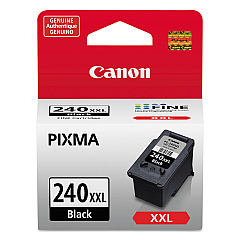
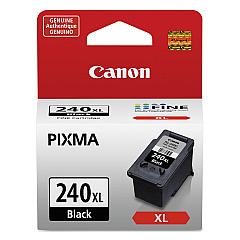
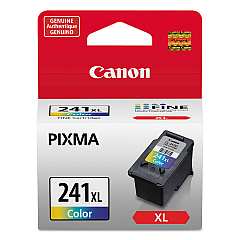
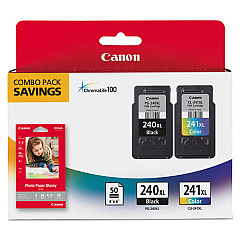
Ensure your Canon PIXMA MX434 printer continues to deliver exceptional print quality with our range of genuine Canon PIXMA MX434 Ink Cartridges. These high-performance cartridges include the Canon CL-241XL Color Ink Cartridge for vibrant, long-lasting colors, and the Canon PG-240XL Black Ink Cartridge (5206B001) for crisp, professional text. For ultimate convenience, choose the Canon PG-240XL CL-241XL with GP502 combo pack, which includes both color and black cartridges along with photo paper. For those who print frequently, the Canon PG-240XXL Black Ink Cartridge offers extended yield, reducing the need for frequent replacements. These cartridges are designed to work seamlessly with your PIXMA MX434, ensuring optimal performance and preventing potential damage from incompatible inks. Trust in the quality and reliability of genuine Canon ink cartridges to bring your documents and photos to life.

Canon PIXMA MX434 Ink Cartridges FAQs

  • Are these ink cartridges compatible with other Canon printers?

    These cartridges are specifically designed for the Canon PIXMA MX434. Always check your printer's compatibility before purchasing.

  • What's the difference between XL and XXL cartridges?

    XXL cartridges have a higher ink capacity than XL cartridges, offering more prints before needing replacement.

  • How long do these ink cartridges last?

    The lifespan of ink cartridges depends on usage, but XL and XXL cartridges typically last longer than standard cartridges.

  • Can I use third-party ink cartridges in my Canon PIXMA MX434?

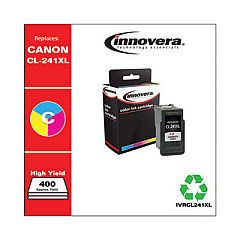
    While third-party cartridges may work, using genuine Canon cartridges ensures optimal print quality and prevents potential printer damage.

  • What's included in the PG-240XL CL-241XL with GP502 pack?

    This pack includes both black and color XL cartridges, as well as Canon photo paper.

  • How do I install these ink cartridges?

    Refer to your printer's manual for specific instructions, but generally, you'll need to open the printer, remove the old cartridge, and insert the new one until it clicks into place.

  • Are these cartridges refillable?

    Canon does not recommend refilling these cartridges as it may affect print quality and potentially damage your printer.

  • What's the shelf life of unopened ink cartridges?

    Unopened cartridges typically last up to two years from the date of manufacture when stored properly.

  • How can I tell if my ink cartridge is genuine?

    Look for the Canon hologram on the packaging and check the cartridge's serial number on Canon's website.

  • What should I do if my printer doesn't recognize the new cartridge?

    Try removing and reinserting the cartridge. If the issue persists, clean the cartridge contacts and try again. If problems continue, contact Canon support.

Warehouse Locations

Policy & Agreement | Copyright © 1995-2026 BlueDogInk.com
