





Ads

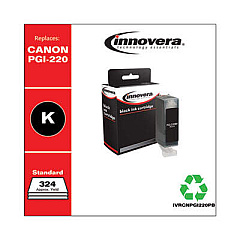
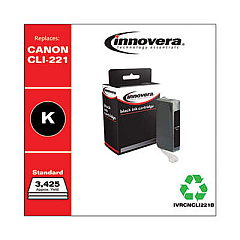
Canon PIXMA MP620 Black Ink Cartridges

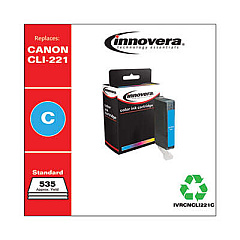
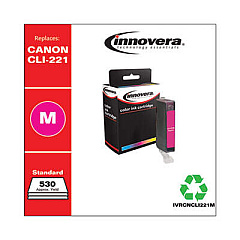
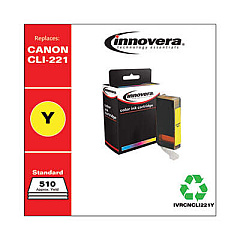
Canon PIXMA MP620 Color Ink Cartridges

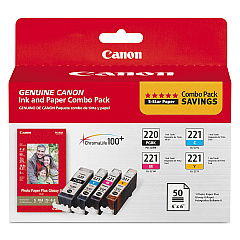
Enhance your printing experience with genuine Canon PIXMA MP620 Ink Cartridges. These high-quality cartridges are designed specifically for the Canon PIXMA MP620 printer, ensuring optimal performance and stunning results. The Canon PGI-220 CLI-221 Combo Pack offers a complete set of ink cartridges, including black, cyan, magenta, and yellow, to meet all your printing needs. With these cartridges, you'll enjoy crisp text, vibrant colors, and long-lasting prints. The PGI-220 pigment black ink delivers sharp, professional-looking documents, while the CLI-221 dye-based inks produce beautiful, true-to-life photos. These cartridges are easy to install and provide consistent, reliable output for both home and office use. Trust in Canon's superior ink technology to bring your ideas to life with the Canon PIXMA MP620 Ink Cartridges.

Canon PIXMA MP620 Ink Cartridges FAQs

  • How long do Canon PIXMA MP620 Ink Cartridges typically last?

    The lifespan of ink cartridges varies depending on usage, but on average, they can last for 200-300 pages for black ink and 300-400 pages for color ink.

  • Are these cartridges compatible with other Canon printers?

    The Canon PGI-220 CLI-221 cartridges are compatible with several Canon PIXMA models, but it's best to check your printer's specifications to ensure compatibility.

  • Can I use third-party ink cartridges in my Canon PIXMA MP620?

    While third-party cartridges may work, using genuine Canon ink cartridges is recommended for optimal print quality and to maintain your printer's warranty.

  • How do I install the ink cartridges in my Canon PIXMA MP620?

    Open the printer's front cover, wait for the cartridge holder to move to the center, then gently push each cartridge into its designated slot until it clicks into place.

  • What should I do if my printer doesn't recognize the new ink cartridge?

    Try removing and reinserting the cartridge, ensuring it's properly seated. If the issue persists, clean the cartridge contacts and try again.

  • Can I refill these ink cartridges?

    Canon does not recommend refilling cartridges as it may affect print quality and potentially damage your printer. It's best to use new, genuine Canon cartridges.

  • How should I store unused ink cartridges?

    Store cartridges in a cool, dry place away from direct sunlight. Keep them in their original packaging until ready for use to prevent drying out.

  • What's the difference between PGI and CLI cartridges?

    PGI cartridges contain pigment-based ink for text-heavy documents, while CLI cartridges use dye-based ink for vibrant color photos and graphics.

  • How can I check the ink levels in my Canon PIXMA MP620?

    You can check ink levels through the printer's LCD display or by using the Canon printer software on your computer.

  • Are these cartridges environmentally friendly?

    Canon offers a cartridge recycling program to help reduce environmental impact. You can return used cartridges to Canon for proper recycling.

Warehouse Locations

Policy & Agreement | Copyright © 1995-2026 BlueDogInk.com
