





Ads

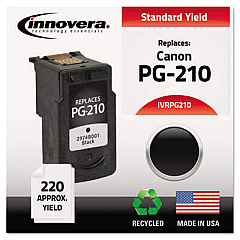
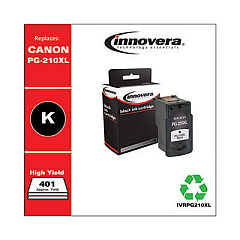
Canon PIXMA MP499 Black Ink Cartridges

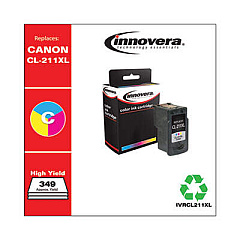
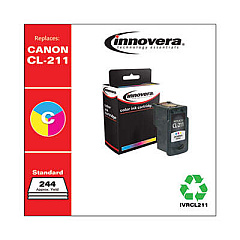
Canon PIXMA MP499 Color Ink Cartridges

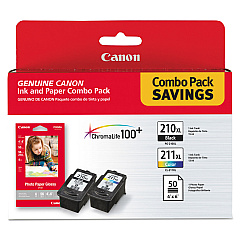
Enhance your printing experience with genuine Canon PIXMA MP499 Ink Cartridges. These high-quality cartridges, including the PG-210XL and CL-211XL, are designed to deliver exceptional results for your home or office needs. The PG-210XL black cartridge ensures crisp text and sharp images, while the CL-211XL color cartridge produces vibrant, true-to-life colors. When paired with Canon's GP502 glossy photo paper, you'll achieve professional-grade prints that resist fading for years. These cartridges are engineered to work seamlessly with your Canon PIXMA MP499 printer, ensuring optimal performance and longevity. With their high-yield capacity, you'll enjoy more prints per cartridge, reducing the frequency of replacements and saving you money in the long run. Trust in Canon's superior ink technology to bring your documents and photos to life with stunning clarity and precision.

Canon PIXMA MP499 Ink Cartridges FAQs

  • How long do Canon PIXMA MP499 Ink Cartridges typically last?

    The lifespan of ink cartridges depends on usage, but typically, the PG-210XL can print about 400 pages, while the CL-211XL can print around 350 pages.

  • Are these cartridges compatible with other Canon printers?

    While designed for the PIXMA MP499, these cartridges may be compatible with other Canon printers. Check your printer's manual or Canon's website for compatibility information.

  • Can I use third-party ink cartridges in my Canon PIXMA MP499?

    While third-party cartridges may work, using genuine Canon cartridges ensures the best print quality and prevents potential damage to your printer.

  • How do I install the ink cartridges in my Canon PIXMA MP499?

    Open the printer's front cover, wait for the cartridge holder to move to the center, then gently push the cartridge into its slot until it clicks into place.

  • What's the difference between the XL and standard cartridges?

    XL cartridges contain more ink and can print more pages than standard cartridges, making them more cost-effective for frequent printing.

  • How should I store unused ink cartridges?

    Store cartridges in a cool, dry place in their original packaging. Avoid extreme temperatures and direct sunlight to maintain ink quality.

  • Can I recycle empty Canon PIXMA MP499 Ink Cartridges?

    Yes, Canon offers a cartridge recycling program. You can drop off empty cartridges at participating retailers or mail them back to Canon.

  • What should I do if my printer doesn't recognize the new cartridge?

    Ensure the cartridge is properly installed and the protective tape is removed. Clean the cartridge contacts and try reinserting it. If issues persist, consult your printer's manual.

  • How often should I replace my ink cartridges?

    Replace cartridges when print quality diminishes or when your printer indicates low ink levels. This varies based on usage and print settings.

  • What's the shelf life of unopened Canon PIXMA MP499 Ink Cartridges?

    Unopened cartridges typically have a shelf life of 1-2 years from the production date when stored properly. Check the expiration date on the packaging for specific information.

Warehouse Locations

Policy & Agreement | Copyright © 1995-2026 BlueDogInk.com
