





Ads

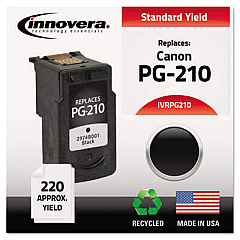
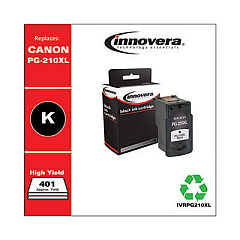
Canon PIXMA MP260 Black Ink Cartridges

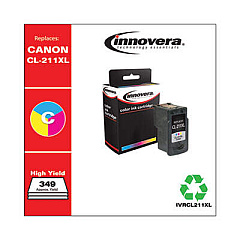
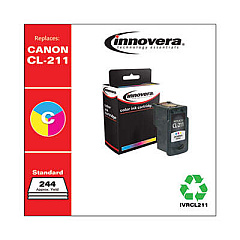
Canon PIXMA MP260 Color Ink Cartridges

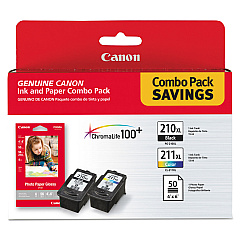
Ensure your Canon PIXMA MP260 printer continues to deliver exceptional prints with our high-quality Canon PIXMA MP260 Ink Cartridges. Compatible with the PG-210XL and CL-211XL cartridges, these inks are designed to produce crisp text and vibrant images. The PG-210XL black cartridge offers extended print capacity, perfect for text-heavy documents, while the CL-211XL color cartridge brings your photos to life with rich, true-to-life hues. When paired with Canon's GP502 glossy photo paper, you'll achieve professional-grade prints right at home. These genuine Canon cartridges are engineered to work seamlessly with your MP260 printer, ensuring consistent performance and preventing potential damage. Whether you're printing important business documents or preserving cherished memories, our Canon PIXMA MP260 Ink Cartridges deliver reliable, high-quality results every time.

Canon PIXMA MP260 Ink Cartridges FAQs

  • How long do Canon PIXMA MP260 ink cartridges typically last?

    The lifespan of ink cartridges varies depending on usage, but typically, the PG-210XL can print about 401 pages, while the CL-211XL can print approximately 349 pages.

  • Can I use third-party ink cartridges in my Canon PIXMA MP260?

    While third-party cartridges may work, using genuine Canon cartridges is recommended to ensure optimal print quality and to prevent potential damage to your printer.

  • How do I know when it's time to replace my ink cartridges?

    Your printer will display a low ink warning when cartridges are running low. You can also check ink levels through the printer software on your computer.

  • Are the PG-210XL and CL-211XL cartridges compatible with other Canon printers?

    Yes, these cartridges are compatible with several Canon PIXMA printer models. Always check your printer's manual or the Canon website for specific compatibility information.

  • What's the difference between standard and XL ink cartridges?

    XL cartridges contain more ink than standard cartridges, allowing for more prints before replacement. They typically offer better value for high-volume printing.

  • How should I store unused ink cartridges?

    Store cartridges in a cool, dry place at room temperature. Keep them in their original packaging until ready for use to prevent the ink from drying out.

  • Can I refill my Canon PIXMA MP260 ink cartridges?

    While it's possible to refill cartridges, it's not recommended as it may lead to poor print quality and potential printer damage. Using genuine Canon cartridges is the best option.

  • What should I do if my printer doesn't recognize the new ink cartridge?

    Try removing and reinserting the cartridge. If the issue persists, clean the cartridge contacts and try again. If problems continue, the cartridge may be defective.

  • Is it necessary to replace both color and black cartridges at the same time?

    No, you can replace cartridges individually as they run out. However, it's a good idea to have spare cartridges on hand to avoid printing interruptions.

  • What's the shelf life of unopened Canon PIXMA MP260 ink cartridges?

    Unopened cartridges typically have a shelf life of 1.5 to 2 years from the date of manufacture when stored properly. Check the expiration date on the packaging for specific information.

Warehouse Locations

Policy & Agreement | Copyright © 1995-2026 BlueDogInk.com
