





Ads

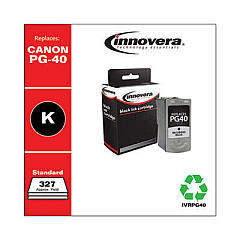
Canon PIXMA MP220 Black Ink Cartridges

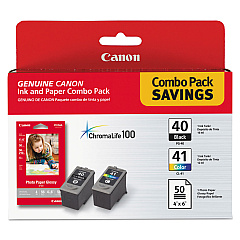
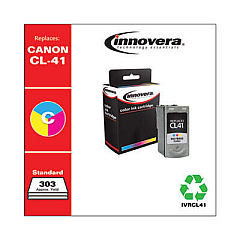
Canon PIXMA MP220 Color Ink Cartridges

Ensure your Canon PIXMA MP220 printer continues to deliver exceptional prints with genuine Canon PIXMA MP220 Ink Cartridges. These high-quality cartridges, including the PG-40 black and CL-41 color options, are designed to work seamlessly with your printer, producing crisp text and vibrant images. The GP502 glossy photo paper complements these cartridges perfectly, allowing you to create stunning, professional-quality photos at home. Whether you're printing important documents for your business, educational materials for schools, or medical records in healthcare settings, these cartridges provide reliable performance and consistent results. By choosing authentic Canon ink cartridges, you'll maximize your printer's efficiency and extend its lifespan, making them an excellent investment for any organization that values quality and cost-effectiveness in their printing needs.

Canon PIXMA MP220 Ink Cartridges FAQs

  • How long do Canon PIXMA MP220 ink cartridges typically last?

    The lifespan of ink cartridges varies depending on usage, but on average, they can last for 200-300 pages for black ink and 300-400 pages for color ink.

  • Can I use third-party ink cartridges in my Canon PIXMA MP220?

    While third-party cartridges may work, using genuine Canon cartridges ensures optimal print quality and prevents potential damage to your printer.

  • How do I know when it's time to replace my ink cartridges?

    Your printer will display a low ink warning on its screen or through your computer when cartridges need replacement.

  • Are Canon PIXMA MP220 ink cartridges recyclable?

    Yes, Canon offers a recycling program for used ink cartridges. Check their website for details on how to participate.

  • Can I use PG-40 and CL-41 cartridges in other Canon printers?

    These cartridges are compatible with several Canon printer models. Check your printer's manual or Canon's website for a full list of compatible printers.

  • How should I store unused ink cartridges?

    Store cartridges in a cool, dry place away from direct sunlight. Keep them in their original packaging until ready for use.

  • What's the difference between PG-40 and CL-41 cartridges?

    PG-40 is a black ink cartridge, while CL-41 is a tri-color cartridge containing cyan, magenta, and yellow inks.

  • How do I install new ink cartridges in my Canon PIXMA MP220?

    Open the printer cover, wait for the cartridge holder to move to the center, remove the old cartridge, insert the new one until it clicks, then close the cover.

  • What should I do if my printer doesn't recognize the new cartridge?

    Try removing and reinserting the cartridge, cleaning the cartridge contacts, or running a printer head alignment. If issues persist, contact Canon support.

  • Can I refill Canon PIXMA MP220 ink cartridges myself?

    While it's possible to refill cartridges, it's not recommended as it may affect print quality and potentially damage your printer. It's best to use new, genuine Canon cartridges.

Warehouse Locations

Policy & Agreement | Copyright © 1995-2026 BlueDogInk.com
