





Ads

Canon PIXMA MG4140 Black Ink Cartridges

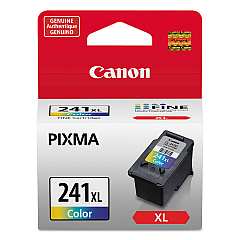
Canon PIXMA MG4140 Color Ink Cartridges

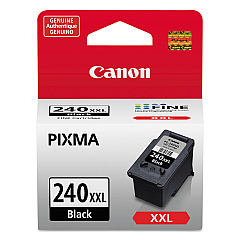
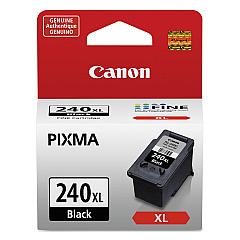
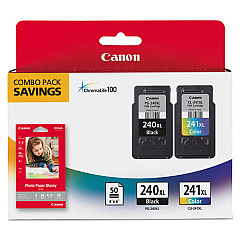
Ensure your Canon PIXMA MG4140 printer continues to deliver exceptional prints with our range of high-quality Canon PIXMA MG4140 Ink Cartridges. Choose from the vibrant Canon CL-241XL Color Ink Cartridge for vivid photos and graphics, or the reliable Canon PG-240XL Black Ink Cartridge (5206B001) for crisp text documents. For ultimate convenience, opt for the Canon PG-240XL CL-241XL with GP502 combo pack, which includes both color and black cartridges along with photo paper. Heavy users will appreciate the Canon PG-240XXL Black Ink Cartridge, offering extended print capacity for less frequent replacements. These genuine Canon ink cartridges are designed to work seamlessly with your MG4140 printer, ensuring optimal performance, superior print quality, and longevity. Don't compromise on your printing needs – choose the right Canon PIXMA MG4140 Ink Cartridges for professional-grade results every time.

Canon PIXMA MG4140 Ink Cartridges FAQs

  • What ink cartridges are compatible with the Canon PIXMA MG4140 printer?

    The Canon PIXMA MG4140 is compatible with Canon CL-241XL Color Ink Cartridge, Canon PG-240XL Black Ink Cartridge, Canon PG-240XL CL-241XL with GP502, and Canon PG-240XXL Black Ink Cartridge.

  • How long do Canon PIXMA MG4140 ink cartridges typically last?

    The lifespan of ink cartridges varies depending on usage, but XL and XXL cartridges generally last longer than standard cartridges. On average, they can print several hundred pages before needing replacement.

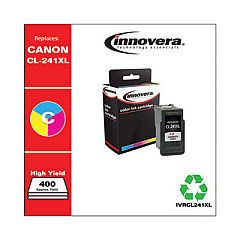
  • Can I use third-party ink cartridges in my Canon PIXMA MG4140?

    While third-party cartridges may work, using genuine Canon ink cartridges is recommended for optimal print quality and to avoid potential damage to your printer.

  • What's the difference between PG-240XL and PG-240XXL black ink cartridges?

    The PG-240XXL has a higher ink capacity than the PG-240XL, allowing for more prints before needing replacement, making it ideal for high-volume users.

  • How do I install new ink cartridges in my Canon PIXMA MG4140?

    Open the printer cover, wait for the cartridge holder to move to the center, remove the old cartridge, insert the new one until it clicks, and close the cover. The printer will then recognize the new cartridge.

  • Can I buy Canon PIXMA MG4140 ink cartridges in bulk?

    Yes, many retailers offer multi-packs or bulk purchasing options for Canon ink cartridges, which can be more cost-effective for frequent users.

  • How can I tell if my Canon PIXMA MG4140 ink cartridges are running low?

    Your printer will display a low ink warning on its screen or through your computer's print dialog. You can also check ink levels through the printer's maintenance menu.

  • Are Canon PIXMA MG4140 ink cartridges refillable?

    While it's possible to refill these cartridges, it's not recommended by Canon as it may affect print quality and potentially damage your printer. It's best to use new, genuine Canon cartridges.

  • What's included in the Canon PG-240XL CL-241XL with GP502 pack?

    This combo pack includes a PG-240XL black ink cartridge, a CL-241XL color ink cartridge, and Canon GP502 photo paper for convenient all-in-one purchasing.

Warehouse Locations

Policy & Agreement | Copyright © 1995-2026 BlueDogInk.com
