





Ads

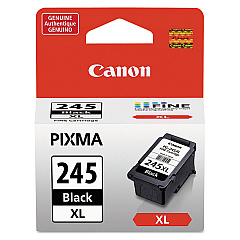
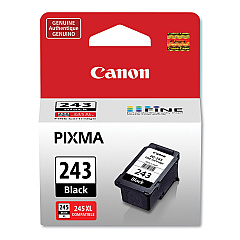
Canon PIXMA MG3053 Black Ink Cartridges

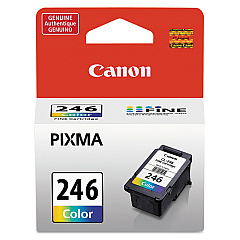
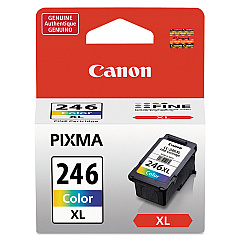
Canon PIXMA MG3053 Color Ink Cartridges

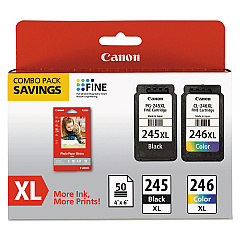
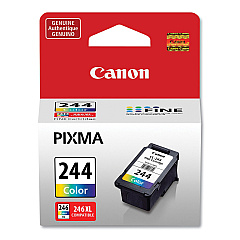
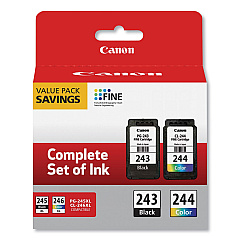
Ensure optimal print quality with genuine Canon PIXMA MG3053 Ink Cartridges. This versatile all-in-one printer demands high-performance ink to deliver crisp text and vibrant images. Choose from a range of cartridges including the Canon CL-244 and CL-246 for vivid color prints, or the PG-243 and PG-245 for sharp black text. For high-volume printing, opt for the XL versions like the CL-246XL or PG-245XL, offering extended yield. Value packs such as the PG-243 CL-244 combo or the PG-245 CL-246 XL pack provide cost-effective solutions for frequent printing needs. Whether you're printing documents, photos, or graphics, these authentic Canon cartridges ensure consistent, professional results every time. Keep your Canon PIXMA MG3053 performing at its best with these reliable, easy-to-install ink supplies.

Canon PIXMA MG3053 Ink Cartridges FAQs

  • What ink cartridges are compatible with the Canon PIXMA MG3053?

    The Canon PIXMA MG3053 is compatible with CL-244, CL-246, CL-246XL, PG-243, PG-245, and PG-245XL ink cartridges.

  • Can I use XL cartridges in my Canon PIXMA MG3053?

    Yes, you can use XL cartridges like the CL-246XL and PG-245XL for higher yield and less frequent replacements.

  • What's the difference between PG and CL cartridges?

    PG cartridges contain black ink, while CL cartridges are for color printing (cyan, magenta, and yellow).

  • Are there any combo packs available for the Canon PIXMA MG3053?

    Yes, there are combo packs like the PG-243 CL-244 Value Pack and the PG-245 CL-246 XL Combo Pack.

  • How do I know when to replace my ink cartridges?

    Your printer will display a low ink warning. You can also check ink levels through the printer software on your computer.

  • Can I use third-party ink cartridges in my Canon PIXMA MG3053?

    While third-party cartridges may work, using genuine Canon cartridges ensures the best print quality and protects your printer's warranty.

  • How many pages can I print with a standard cartridge?

    Page yield varies depending on the specific cartridge and print content. Check the product description for estimated page yields.

  • Is it necessary to replace all color cartridges at once?

    No, you can replace individual color cartridges as they run out. The printer uses separate cartridges for each color.

  • How should I store unused ink cartridges?

    Store cartridges in a cool, dry place in their original packaging. Avoid direct sunlight and extreme temperatures.

  • Can I recycle my used Canon ink cartridges?

    Yes, Canon offers a cartridge recycling program. Check their website or local office supply stores for recycling options.

Warehouse Locations

Policy & Agreement | Copyright © 1995-2026 BlueDogInk.com
