





Ads

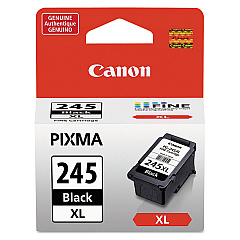
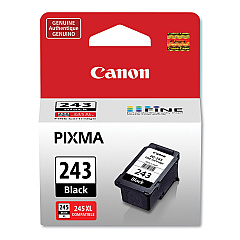
Canon PIXMA iP2850 Black Ink Cartridges

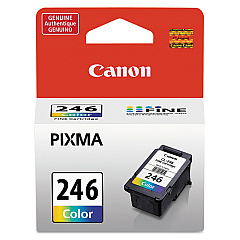
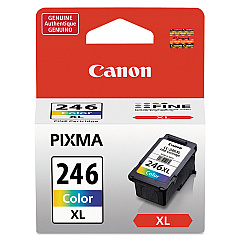
Canon PIXMA iP2850 Color Ink Cartridges

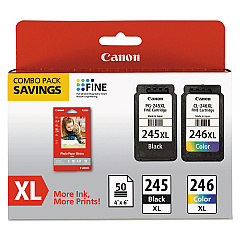
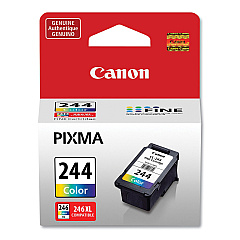
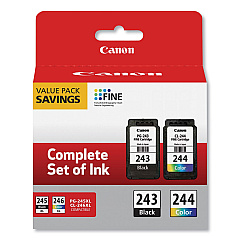
Enhance your printing experience with genuine Canon PIXMA iP2850 Ink Cartridges. This versatile printer supports a range of high-quality ink options, including the Canon CL-244 and CL-246 Color Ink Cartridges, as well as their XL counterparts for extended printing capacity. For crisp black text, choose from the Canon PG-243 or PG-245 Black Ink Cartridges, with an XL option available for the latter. Maximize value with combo packs like the PG-243 CL-244 Value Pack or the PG-245 CL-246 XL Combo Pack. These authentic Canon cartridges ensure optimal performance, producing vivid colors and sharp text for all your printing needs. Whether you're printing documents, photos, or creative projects, these ink cartridges deliver consistent, professional results every time. Trust in Canon's quality and reliability to keep your PIXMA iP2850 running smoothly.

Canon PIXMA iP2850 Ink Cartridges FAQs

  • What ink cartridges are compatible with the Canon PIXMA iP2850?

    The Canon PIXMA iP2850 is compatible with Canon CL-244, CL-246, CL-246XL color cartridges, and PG-243, PG-245, PG-245XL black cartridges.

  • Are there any combo packs available for the Canon PIXMA iP2850?

    Yes, there are combo packs available such as the Canon PG-243 CL-244 Value Pack and the Canon PG-245 CL-246 XL Combo Pack.

  • What's the difference between regular and XL ink cartridges?

    XL cartridges contain more ink and last longer than regular cartridges, making them more economical for frequent printing.

  • Can I use non-Canon ink cartridges in my PIXMA iP2850?

    While third-party cartridges may work, using genuine Canon cartridges ensures optimal print quality and printer performance.

  • How do I install new ink cartridges in my Canon PIXMA iP2850?

    Open the printer cover, wait for the cartridge holder to move to the center, remove the old cartridge, insert the new one until it clicks, then close the cover.

  • How often should I replace the ink cartridges in my PIXMA iP2850?

    Replace cartridges when print quality diminishes or when the printer indicates low ink levels. Usage frequency determines replacement intervals.

  • Can I use a black ink cartridge only for printing documents?

    Yes, you can use only the black cartridge for printing text documents, but both black and color cartridges should be installed for the printer to function properly.

  • How can I check the ink levels in my Canon PIXMA iP2850?

    You can check ink levels through the printer software on your computer or by observing the LED indicators on the printer itself.

  • Are Canon PIXMA iP2850 ink cartridges recyclable?

    Yes, Canon offers a cartridge recycling program. You can return used cartridges to Canon or participating retailers for environmentally friendly disposal.

  • What should I do if my printer doesn't recognize a new ink cartridge?

    Ensure the cartridge is properly installed, clean the cartridge contacts, and restart the printer. If issues persist, the cartridge may be defective or incompatible.

Warehouse Locations

Policy & Agreement | Copyright © 1995-2026 BlueDogInk.com
