





Ads

Canon PIXMA iP2700 Black Ink Cartridges

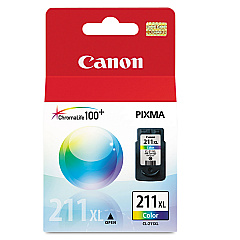
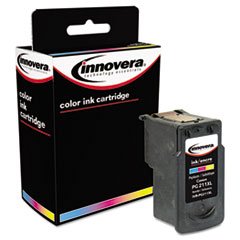
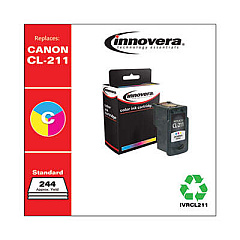
Canon PIXMA iP2700 Color Ink Cartridges

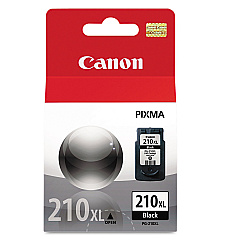
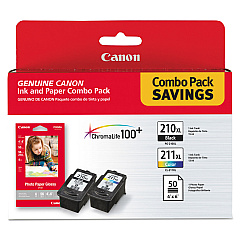
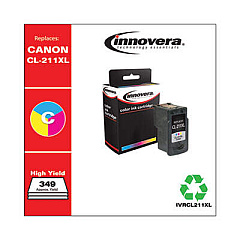
Enhance your printing experience with genuine Canon PIXMA iP2700 Ink Cartridges. These high-quality cartridges are designed to deliver exceptional results for your home or small office needs. The Canon CL-211XL Color Ink Tank produces vibrant, true-to-life colors, while the Canon PG-210XL Black Ink Tank ensures crisp, sharp text. For ultimate convenience, choose the Canon PG-210XL CL-211XL with GP502 combo pack, which includes both color and black cartridges along with photo paper. These cartridges are engineered to work seamlessly with your Canon PIXMA iP2700 printer, ensuring optimal performance and longevity. Whether you're printing documents, photos, or creative projects, these ink cartridges deliver professional-quality results every time. Trust in Canon's reputation for excellence and keep your printer running smoothly with these reliable, high-capacity ink cartridges.

Canon PIXMA iP2700 Printers Supplies FAQs

  • How long do Canon PIXMA iP2700 Ink Cartridges typically last?

    The lifespan of ink cartridges varies depending on usage, but high-capacity XL cartridges generally last longer than standard cartridges.

  • Are these ink cartridges compatible with other Canon printers?

    These cartridges are specifically designed for the Canon PIXMA iP2700 printer. Always check your printer's compatibility before purchasing.

  • Can I use third-party ink cartridges in my Canon PIXMA iP2700?

    While third-party cartridges may work, using genuine Canon cartridges ensures the best print quality and protects your printer's warranty.

  • How do I install new ink cartridges in my Canon PIXMA iP2700?

    Open the printer cover, wait for the cartridge holder to move to the center, remove the old cartridge, and insert the new one until it clicks into place.

  • What's the difference between PG and CL ink cartridges?

    PG cartridges contain black ink, while CL cartridges contain color ink (cyan, magenta, and yellow).

  • How can I tell if my ink cartridge is running low?

    Your printer software will typically alert you when ink levels are low. You can also check ink levels through your printer's control panel or settings.

  • What should I do if my printer doesn't recognize the new cartridge?

    Try removing and reinserting the cartridge, cleaning the cartridge contacts, or running a printer head alignment.

  • Can I refill these ink cartridges myself?

    While it's possible to refill cartridges, it's not recommended as it may affect print quality and potentially damage your printer.

  • What's included in the Canon PG-210XL CL-211XL with GP502 pack?

    This pack includes a PG-210XL black ink cartridge, a CL-211XL color ink cartridge, and Canon GP502 photo paper.

  • How should I store unused ink cartridges?

    Store cartridges in a cool, dry place in their original packaging. Avoid extreme temperatures and direct sunlight.

Warehouse Locations

Policy & Agreement | Copyright © 1995-2026 BlueDogInk.com
