





Ads

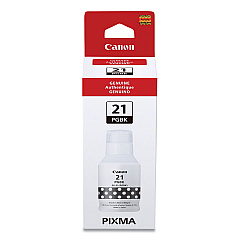
Canon PIXMA G3260 Black Ink Cartridges

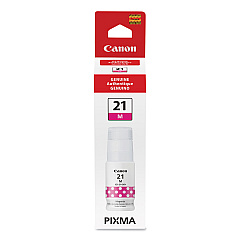
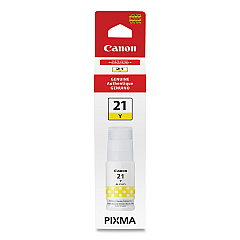
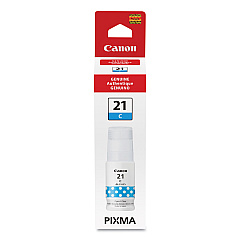
Canon PIXMA G3260 Color Ink Cartridges

Enhance your printing experience with genuine Canon PIXMA G3260 Ink Cartridges. This versatile all-in-one printer delivers exceptional quality for businesses, schools, healthcare facilities, and wholesale operations. The G3260 utilizes a cost-effective refillable ink tank system, featuring the Canon GI-21 series ink tanks in Black, Cyan, Magenta, and Yellow. These high-capacity tanks ensure long-lasting performance, reducing the frequency of replacements and minimizing downtime. With vibrant colors and crisp text, your documents and images will stand out. The Canon PIXMA G3260 Ink Cartridges are designed for optimal compatibility, ensuring smooth operation and preventing potential damage to your printer. Whether you're printing reports, educational materials, or marketing collateral, these genuine Canon inks deliver professional results every time. Invest in quality and reliability with Canon PIXMA G3260 Ink Cartridges for all your printing needs.

Canon PIXMA G3260 Ink Cartridges FAQs

  • How long do Canon PIXMA G3260 Ink Cartridges last?

    The lifespan of the ink cartridges depends on usage, but they typically last for thousands of pages before needing replacement.

  • Can I use third-party ink in my Canon PIXMA G3260?

    While third-party inks may work, using genuine Canon ink is recommended to ensure optimal print quality and prevent potential printer damage.

  • How do I know when it's time to refill the ink tanks?

    The printer has a visual ink level indicator, and you'll receive low ink warnings when it's time to refill.

  • Are Canon PIXMA G3260 Ink Cartridges refillable?

    Yes, the G3260 uses a refillable ink tank system. You can purchase ink bottles to refill the tanks when needed.

  • What's the difference between the GI-21 ink tanks?

    The GI-21 series includes separate tanks for Black, Cyan, Magenta, and Yellow inks, allowing for individual color replacement.

  • How do I install new ink tanks in my Canon PIXMA G3260?

    Simply open the printer's front cover, remove the empty tank, and insert the new one until it clicks into place.

  • Can I buy bulk quantities of Canon PIXMA G3260 Ink Cartridges?

    Yes, bulk quantities are available for purchase, which can be cost-effective for high-volume printing needs.

  • Are these ink cartridges compatible with other Canon PIXMA models?

    The GI-21 ink tanks are specifically designed for certain Canon PIXMA G-series models. Always check compatibility before purchasing.

  • What should I do if my prints appear faded or have streaks?

    First, check ink levels and refill if necessary. If the issue persists, run a print head cleaning cycle through your printer's maintenance menu.

  • How should I store unused Canon PIXMA G3260 Ink Cartridges?

    Store unopened ink bottles in a cool, dry place away from direct sunlight. Once opened, keep them upright and tightly sealed when not in use.

Warehouse Locations

Policy & Agreement | Copyright © 1995-2026 BlueDogInk.com
