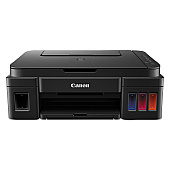
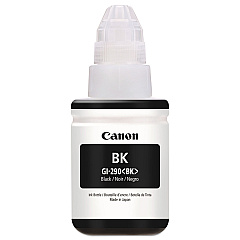
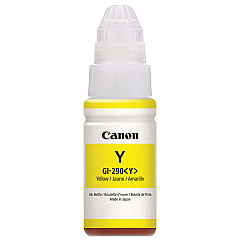






Canon PIXMA G3200 Black Ink Cartridges

Canon PIXMA G3200 Color Ink Cartridges

Canon PIXMA G3200 Copy Paper

Canon PIXMA G3200 Card Stock

Canon PIXMA G3200 Photo Paper

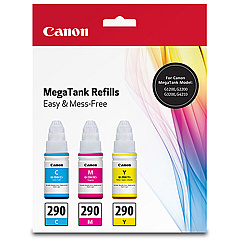
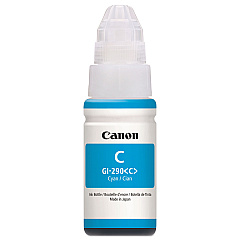
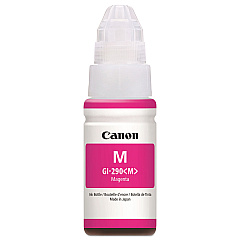
Discover unparalleled printing efficiency with Canon PIXMA G3200 Ink Cartridges. This innovative MegaTank printer utilizes a range of high-capacity ink bottles, including the Canon GI-290 series in Black, Cyan, Magenta, and Yellow. These refillable ink bottles offer an economical and eco-friendly printing solution, perfect for high-volume printing needs in businesses, schools, healthcare facilities, and government offices. The Canon GI-290 Ink Bottle Pack provides a complete set of colors, ensuring vibrant, professional-quality prints every time. With its exceptional page yield and cost-effective design, the Canon PIXMA G3200 ink system significantly reduces printing expenses while maintaining superior output quality. Experience hassle-free, high-quality printing with these reliable Canon ink bottles, designed to meet the demands of various professional environments.

Canon PIXMA G3200 Ink Cartridges FAQs

  • How long do Canon PIXMA G3200 ink bottles last?

    Canon PIXMA G3200 ink bottles can last for thousands of pages, with black ink yielding up to 6,000 pages and color inks up to 7,000 pages each.

  • Are Canon GI-290 ink bottles refillable?

    No, Canon GI-290 ink bottles are not refillable. They are designed for one-time use and should be replaced when empty.

  • Can I use third-party ink in my Canon PIXMA G3200 printer?

    While third-party inks may work, it's recommended to use genuine Canon ink to ensure optimal print quality and to maintain your printer's warranty.

  • How do I install Canon GI-290 ink bottles?

    To install, remove the bottle cap, align the bottle with the correct color-coded tank, and gently squeeze to fill. The bottle will automatically stop when the tank is full.

  • What's included in the Canon GI-290 Ink Bottle Pack?

    The Canon GI-290 Ink Bottle Pack typically includes one bottle each of Black, Cyan, Magenta, and Yellow inks.

  • How often should I replace the ink bottles in my Canon PIXMA G3200?

    Replacement frequency depends on usage. Monitor ink levels through your printer's interface and replace when a color runs low.

  • Are Canon GI-290 ink bottles compatible with other Canon printers?

    Canon GI-290 ink bottles are specifically designed for MegaTank printers like the PIXMA G3200. Always check your printer's compatibility before purchasing.

  • Can I buy individual Canon GI-290 ink bottles?

    Yes, you can purchase individual Canon GI-290 ink bottles in Black, Cyan, Magenta, or Yellow, as well as multi-color packs.

  • How do I check the ink levels in my Canon PIXMA G3200?

    You can check ink levels through your printer's LCD display, the Canon Print app, or your computer's printer properties window.

  • What should I do if ink spills while refilling my Canon PIXMA G3200?

    If ink spills, immediately clean the area with a damp cloth. Avoid touching the ink and wear gloves if necessary. Consult your printer manual for specific cleaning instructions.

Warehouse Locations

Policy & Agreement | Copyright © 1995-2026 BlueDogInk.com
