
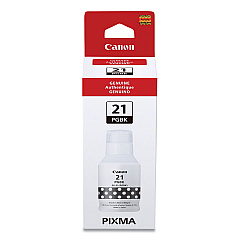





Canon PIXMA G1230 Black Ink Cartridges

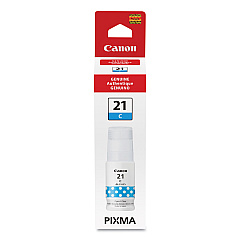
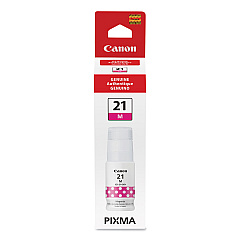
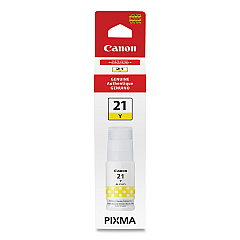
Canon PIXMA G1230 Color Ink Cartridges

Enhance your printing experience with genuine Canon PIXMA G1230 Ink Cartridges. These high-capacity ink tanks are designed to deliver exceptional print quality and cost-effective performance for businesses, schools, healthcare facilities, and government offices. The Canon PIXMA G1230 utilizes a four-color ink system, including the GI-21 Black, Cyan, Magenta, and Yellow Ink Tanks. These innovative cartridges offer an eco-friendly solution with their refillable design, reducing waste and lowering your overall printing costs. Whether you're producing vibrant marketing materials, detailed reports, or high-quality photographs, these ink cartridges ensure crisp text and vivid colors. With long-lasting yields, you'll spend less time replacing cartridges and more time focusing on your important tasks. Trust in the reliability and superior quality of genuine Canon PIXMA G1230 Ink Cartridges for all your printing needs.

Canon PIXMA G1230 Ink Cartridges FAQs

  • How long do Canon PIXMA G1230 Ink Cartridges typically last?

    The lifespan of these cartridges varies depending on usage, but they generally offer high yields, lasting for thousands of pages before needing replacement.

  • Are these ink cartridges compatible with other Canon printers?

    The GI-21 ink tanks are specifically designed for the Canon PIXMA G-series printers. Always check your printer's compatibility before purchasing.

  • Can I use third-party ink in my Canon PIXMA G1230?

    While third-party inks exist, using genuine Canon ink is recommended to ensure optimal print quality and to maintain your printer's warranty.

  • How do I install the ink tanks in my Canon PIXMA G1230?

    Installation is simple: open the printer's front cover, remove the cap from the ink tank, and insert it into the corresponding color slot until it clicks into place.

  • Are these ink cartridges refillable?

    Yes, the GI-21 ink tanks are designed to be refilled, offering a more economical and environmentally friendly printing solution.

  • How can I check the ink levels in my Canon PIXMA G1230?

    You can check ink levels through the printer's display panel or via the Canon printing software on your computer.

  • What should I do if my prints are coming out faded or streaky?

    First, check your ink levels. If they're sufficient, run a print head cleaning cycle through your printer's maintenance menu.

  • Can I buy individual color cartridges, or do I need to replace all colors at once?

    You can purchase and replace individual color cartridges as needed, which helps reduce waste and save money.

  • How should I store unused ink cartridges?

    Store unused cartridges in a cool, dry place away from direct sunlight. Keep them in their original packaging until ready for use.

  • Is it normal for the printer to use ink even when I'm not printing in color?

    Yes, printers often use small amounts of color ink during maintenance cycles to keep print heads clean and functioning properly.

Warehouse Locations

Policy & Agreement | Copyright © 1995-2026 BlueDogInk.com
