





Ads

Canon PC785 Black Toner Cartridges

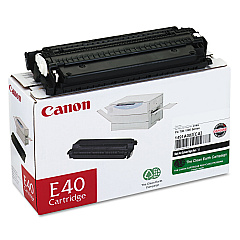
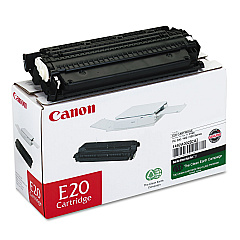
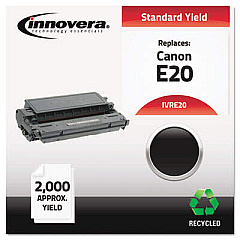
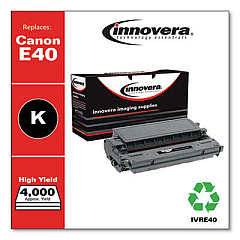
Ensure optimal performance for your Canon PC785 copier with genuine Canon PC785 Toner Cartridges. These high-quality cartridges, including the Canon E20 Black Toner Cartridge and Canon E40 Black Toner Cartridge, are designed to deliver crisp, clear prints every time. Perfect for businesses, schools, government offices, and healthcare facilities, these toner cartridges offer exceptional value and reliability. The E20 cartridge yields approximately 2,000 pages, while the E40 provides an impressive 4,000-page yield, making it ideal for high-volume printing environments. Both cartridges are engineered to work seamlessly with your Canon PC785, ensuring consistent print quality and minimizing downtime. By choosing genuine Canon toner cartridges, you'll extend the life of your copier and maintain professional-grade output. Trust in Canon's superior technology and BlueDogInk's competitive pricing to keep your office running smoothly and efficiently.

Canon PC785 Printers Supplies FAQs

  • What is the difference between the Canon E20 and E40 toner cartridges?

    The main difference is the page yield. The E20 yields about 2,000 pages, while the E40 yields approximately 4,000 pages.

  • Are these toner cartridges compatible with other Canon copiers?

    While designed for the Canon PC785, these cartridges may be compatible with other Canon models. Check your copier's manual or contact Canon support for specific compatibility information.

  • How long do these toner cartridges typically last?

    The lifespan depends on usage, but generally, the E20 lasts for about 2,000 pages and the E40 for about 4,000 pages.

  • Can I use third-party toner cartridges in my Canon PC785?

    While third-party cartridges may work, using genuine Canon toner cartridges ensures optimal performance and prevents potential damage to your copier.

  • How do I install a new toner cartridge in my Canon PC785?

    Refer to your copier's manual for specific instructions, but generally, you'll need to open the front panel, remove the old cartridge, and insert the new one until it clicks into place.

  • What should I do with my used toner cartridges?

    Canon offers a recycling program for used toner cartridges. You can also check with local office supply stores or recycling centers for proper disposal options.

  • How can I tell when my toner cartridge needs to be replaced?

    Your Canon PC785 will typically display a message when toner is low. You may also notice a decrease in print quality or faded text.

  • Are these toner cartridges covered by a warranty?

    Yes, genuine Canon toner cartridges come with a manufacturer's warranty. Contact Canon or your supplier for specific warranty details.

  • Can I store unused toner cartridges for long periods?

    Yes, you can store unused cartridges for up to two years. Keep them in their original packaging in a cool, dry place away from direct sunlight.

  • Do you offer bulk discounts on these toner cartridges?

    Please contact our sales team or check our website for current promotions and bulk pricing options.

Warehouse Locations

Policy & Agreement | Copyright © 1995-2026 BlueDogInk.com
