





Ads

Canon PC-D320 Black Toner Cartridges

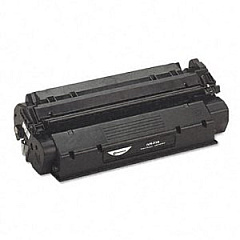
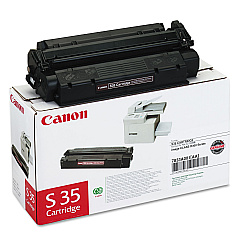
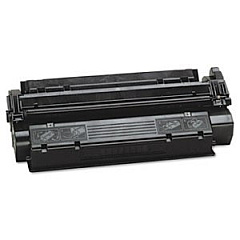
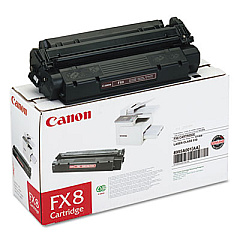
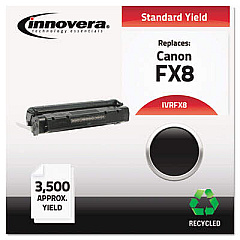
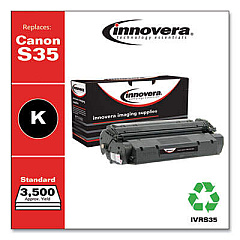
Ensure uninterrupted productivity with genuine Canon PC-D320 Toner Cartridges. These high-quality consumables are designed specifically for the Canon PC-D320 printer, delivering crisp, professional-grade output for your business, educational, governmental, or healthcare needs. Compatible options include the Canon FX-8 Black Toner Cartridge and the Canon S35 Black Toner Cartridge, both offering exceptional print quality and reliability. These toner cartridges provide consistent, smudge-free results, making them ideal for producing sharp text documents and clear graphics. With their high page yield and long-lasting performance, Canon PC-D320 Toner Cartridges offer cost-effective printing solutions for high-volume environments. Choose these genuine Canon supplies to maintain your printer's optimal performance and extend its lifespan, ensuring your organization's printing needs are met with efficiency and excellence.

Canon PC-D320 Printers Supplies FAQs

  • What is the page yield of Canon PC-D320 Toner Cartridges?

    The page yield varies depending on the specific cartridge model. The Canon FX-8 typically yields around 3,500 pages, while the Canon S35 yields approximately 3,500 pages as well.

  • Are these toner cartridges compatible with other Canon printer models?

    While these cartridges are designed specifically for the Canon PC-D320, they may be compatible with other Canon models. It's best to check your printer's manual or Canon's website for compatibility information.

  • How long do Canon PC-D320 Toner Cartridges typically last?

    The lifespan of the toner cartridges depends on usage frequency and print volume. Under normal use, they can last several months to a year.

  • Can I use third-party toner cartridges in my Canon PC-D320 printer?

    While third-party cartridges may be available, using genuine Canon toner cartridges is recommended to ensure optimal print quality and prevent potential damage to your printer.

  • How do I install a new toner cartridge in my Canon PC-D320 printer?

    To install a new cartridge, open the printer's front cover, remove the old cartridge, unpack the new one, and insert it into the printer. Refer to your printer's manual for detailed instructions.

  • What should I do with my used toner cartridges?

    Canon offers a recycling program for used toner cartridges. You can also check with local office supply stores or recycling centers for proper disposal options.

  • How can I extend the life of my Canon PC-D320 Toner Cartridges?

    To extend cartridge life, use draft mode for non-critical prints, print in grayscale when possible, and ensure your printer is properly maintained.

  • Are these toner cartridges covered by a warranty?

    Yes, genuine Canon toner cartridges typically come with a limited warranty. Check the packaging or Canon's website for specific warranty information.

  • Can I refill my Canon PC-D320 Toner Cartridges?

    While refilling is possible, it's not recommended as it may compromise print quality and potentially damage your printer. It's best to use new, genuine Canon cartridges.

  • How do I know when it's time to replace my toner cartridge?

    Your printer will typically display a low toner warning. You may also notice a decrease in print quality, such as faded or streaky prints, indicating it's time for a replacement.

Warehouse Locations

Policy & Agreement | Copyright © 1995-2026 BlueDogInk.com
