





Ads

Canon MultiPASS L6000 Black Toner Cartridges

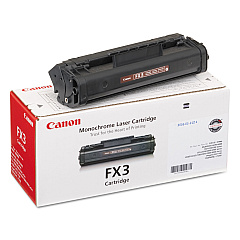
Ensure your Canon MultiPASS L6000 printer maintains its exceptional performance with our high-quality Canon MultiPASS L6000 Toner Cartridges. The Canon FX-3 Black Toner Cartridge is specifically designed for this versatile multifunction device, delivering crisp, professional-quality prints for all your business needs. Whether you're printing important documents, faxing crucial information, or making copies for your team, these toner cartridges provide consistent, reliable results. With a generous page yield, you'll experience fewer interruptions and more productivity in your workflow. Our genuine Canon toner cartridges are engineered to work seamlessly with your L6000 printer, preventing potential damage and ensuring optimal print quality. Don't compromise on your printing needs – choose our Canon MultiPASS L6000 Toner Cartridges for superior results and long-lasting performance.

Canon MultiPASS L6000 Printers Supplies FAQs

  • What is the page yield of the Canon FX-3 Black Toner Cartridge?

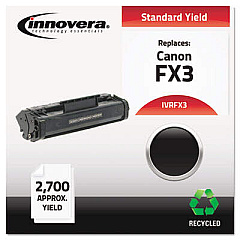
    The Canon FX-3 Black Toner Cartridge typically yields approximately 2,700 pages.

  • Is the Canon FX-3 compatible with other printer models?

    Yes, the Canon FX-3 is compatible with several Canon printer models, including the L60, L90, and L300 series.

  • How often should I replace the toner cartridge in my Canon MultiPASS L6000?

    Replace the toner cartridge when print quality diminishes or when the printer indicates low toner levels.

  • Are remanufactured toner cartridges available for the Canon MultiPASS L6000?

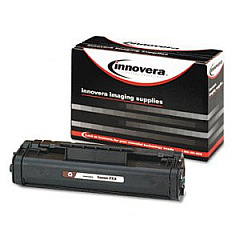
    Yes, remanufactured options are available, but using genuine Canon cartridges is recommended for optimal performance.

  • Can I recycle my used Canon FX-3 toner cartridges?

    Yes, Canon offers a recycling program for used toner cartridges. Check their website for details.

  • How long can I store unused toner cartridges?

    Unopened toner cartridges can typically be stored for up to two years in a cool, dry place.

  • Does the Canon MultiPASS L6000 use color toner cartridges?

    No, the Canon MultiPASS L6000 is a monochrome printer and only uses black toner cartridges.

  • How can I extend the life of my Canon FX-3 toner cartridge?

    To extend cartridge life, use draft mode for non-critical prints and avoid printing unnecessary pages.

  • What should I do if I experience print quality issues with my new toner cartridge?

    Try removing and gently shaking the cartridge to redistribute the toner, then reinstall it. If issues persist, contact customer support.

  • Are there any special handling instructions for Canon FX-3 toner cartridges?

    Avoid exposing the cartridge to direct sunlight or extreme temperatures, and handle it carefully to prevent damage to the drum unit.

Warehouse Locations

Policy & Agreement | Copyright © 1995-2026 BlueDogInk.com
