










Ads

Canon MF236n Black Toner Cartridges

Canon MF236n Toner Set

Canon MF236n Copy Paper

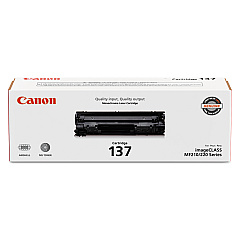
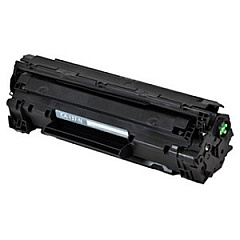
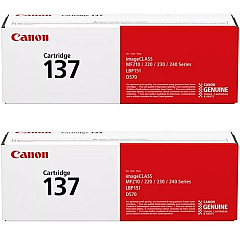
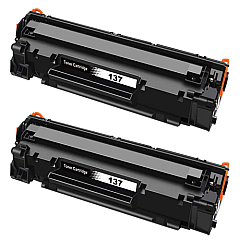
Ensure optimal performance for your Canon MF236n printer with our premium Canon MF236n Toner Cartridges. Our selection includes the reliable Canon 137 Black Toner Cartridge (9435B001), offering crisp, professional-quality prints for your business, educational, or healthcare needs. For added convenience and cost-effectiveness, consider our Canon Cartridge 137 2-Pack Black Toner Cartridges, perfect for high-volume printing environments. Each cartridge delivers exceptional yield and consistent output, maintaining the superior quality you expect from Canon. Compatible with the Canon MF236n multifunction printer, these toner cartridges are designed to produce sharp text and clear images, enhancing your documents and presentations. Whether you're printing reports, invoices, or educational materials, our Canon MF236n Toner Cartridges ensure your prints make a lasting impression. Choose BlueDogInk for genuine Canon supplies and experience unparalleled print quality and reliability.

Canon MF236n Toner Cartridges FAQs

  • What is the page yield for the Canon 137 Black Toner Cartridge?

    The Canon 137 Black Toner Cartridge typically yields approximately 2,400 pages based on 5% coverage.

  • Are these toner cartridges compatible with other Canon printers?

    These cartridges are specifically designed for the Canon MF236n printer. Always check your printer's compatibility before purchasing.

  • How long do unopened toner cartridges last?

    Unopened toner cartridges can last up to two years if stored properly in a cool, dry place away from direct sunlight.

  • Is it more cost-effective to buy the 2-pack of toner cartridges?

    Yes, purchasing the 2-pack is generally more cost-effective for users who print frequently or in high volumes.

  • Are these genuine Canon toner cartridges?

    Yes, all toner cartridges sold on BlueDogInk for the Canon MF236n are genuine Canon products.

  • How do I install the toner cartridge in my Canon MF236n printer?

    To install, open the front cover, remove the old cartridge, unpack the new one, and insert it until it clicks into place. Close the cover to complete installation.

  • What should I do with my empty toner cartridges?

    Canon offers a recycling program for empty toner cartridges. You can also check with local office supply stores for recycling options.

  • How can I tell if my toner cartridge is running low?

    Your Canon MF236n printer will display a low toner message on its LCD screen when the cartridge is nearing depletion.

  • Do you offer free shipping on toner cartridges?

    Shipping policies may vary. Please check our current shipping offers at checkout or contact our customer service for details.

  • What is your return policy for toner cartridges?

    We offer a 30-day return policy for unopened, undamaged toner cartridges. Please contact our customer service for specific return instructions.

Warehouse Locations

Policy & Agreement | Copyright © 1995-2026 BlueDogInk.com
