





Ads

Canon MAXIFY GX7020 Black Ink Cartridges

Canon MAXIFY GX7020 Color Ink Cartridges

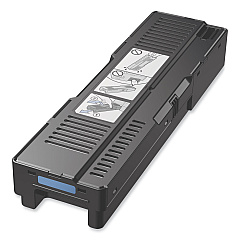
Canon MAXIFY GX7020 Maintenance Kits

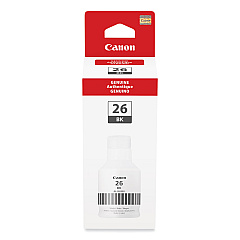
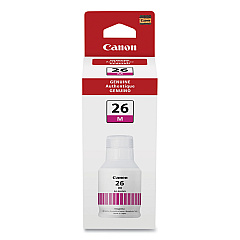
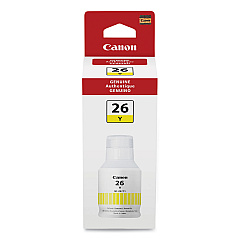
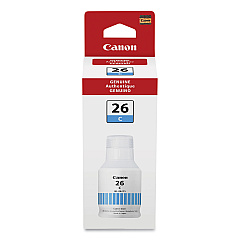
Enhance your printing experience with genuine Canon MAXIFY GX7020 Ink Cartridges. This high-performance printer utilizes a range of ink bottles designed for optimal output and efficiency. The GI-26 series includes Black, Cyan, Magenta, and Yellow ink bottles, ensuring vibrant and accurate color reproduction for all your business, educational, or healthcare documents. These high-yield bottles provide exceptional value, allowing you to print thousands of pages before replacement. The Canon MC-G01 Maintenance Cartridge completes the set, maintaining your printer's performance by collecting waste ink during cleaning cycles. Whether you're printing reports, presentations, or marketing materials, these Canon MAXIFY GX7020 Ink Cartridges deliver professional-quality results every time. Invest in genuine Canon supplies to maximize your printer's potential and enjoy consistent, high-quality prints for all your business needs.

Canon MAXIFY GX7020 Ink Cartridges FAQs

  • How long do Canon MAXIFY GX7020 ink bottles last?

    The ink bottles can last for thousands of pages, depending on usage and print settings. Exact yield may vary based on the content being printed.

  • Are these ink bottles compatible with other Canon printers?

    The GI-26 ink bottles and MC-G01 maintenance cartridge are specifically designed for the Canon MAXIFY GX7020 and may not be compatible with other models.

  • Can I use third-party ink in my Canon MAXIFY GX7020?

    While third-party inks may work, using genuine Canon ink is recommended to ensure optimal print quality and to maintain your printer's warranty.

  • How often should I replace the maintenance cartridge?

    The maintenance cartridge typically needs replacement after several thousand pages, but this can vary based on usage and cleaning frequency.

  • Is it necessary to replace all color ink bottles at the same time?

    No, you can replace individual color ink bottles as needed when they run low.

  • Can I refill the ink bottles myself?

    Canon does not recommend refilling ink bottles. For best results and to protect your printer, use new, genuine Canon ink bottles.

  • How do I know when it's time to replace an ink bottle?

    The printer will display a message on its LCD screen when an ink bottle is running low or needs replacement.

  • Are these ink bottles environmentally friendly?

    Yes, the high-yield nature of these ink bottles reduces plastic waste compared to traditional cartridges.

  • Can I buy bulk packs of these ink bottles?

    Yes, bulk packs are often available, which can provide cost savings for high-volume users.

  • What should I do if I get ink on my hands during replacement?

    If ink contacts your skin, wash thoroughly with soap and water. If it gets in your eyes, rinse immediately with water and seek medical attention if irritation persists.

Warehouse Locations

Policy & Agreement | Copyright © 1995-2026 BlueDogInk.com
