





Ads

Canon LC2060 Black Toner Cartridges

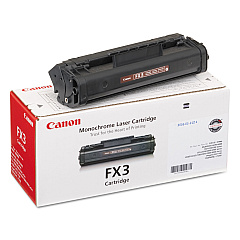
Enhance your printing experience with genuine Canon LC2060 Toner Cartridges, designed specifically for the Canon LC2060 laser copier. These high-quality cartridges deliver crisp, professional-grade text and images, making them ideal for businesses, educational institutions, government offices, and healthcare facilities. The Canon FX-3 Black Toner Cartridge, compatible with the LC2060 model, ensures consistent performance and reliability for all your printing needs. With its impressive yield and superior print quality, this toner cartridge maximizes productivity while minimizing downtime. Whether you're printing important documents, reports, or correspondence, Canon LC2060 Toner Cartridges provide the perfect balance of affordability and performance. Trust in Canon's reputation for excellence and choose these genuine toner cartridges to keep your LC2060 copier running smoothly and efficiently.

Canon LC2060 Printers Supplies FAQs

  • What is the page yield of the Canon FX-3 Black Toner Cartridge?

    The Canon FX-3 Black Toner Cartridge typically yields approximately 2,700 pages at 5% coverage.

  • Is the Canon FX-3 toner cartridge compatible with other Canon printers?

    The Canon FX-3 toner cartridge is specifically designed for the Canon LC2060 and may not be compatible with other Canon printer models.

  • How long does a Canon LC2060 toner cartridge typically last?

    The lifespan of a toner cartridge depends on usage, but under normal conditions, it can last several months to a year.

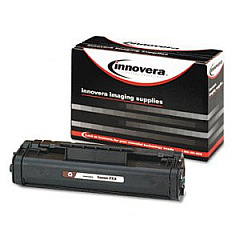
  • Are remanufactured toner cartridges available for the Canon LC2060?

    While remanufactured options may exist, it's recommended to use genuine Canon toner cartridges for optimal performance and print quality.

  • How can I tell when my Canon LC2060 toner cartridge needs to be replaced?

    The printer will typically display a low toner warning when the cartridge is running low and needs replacement.

  • Can I recycle my used Canon LC2060 toner cartridges?

    Yes, Canon offers a recycling program for used toner cartridges. Check their website for details on how to participate.

  • What should I do if I experience print quality issues with my Canon LC2060?

    First, ensure you're using a genuine Canon toner cartridge. If issues persist, try cleaning the printer and checking for any error messages.

  • Is it necessary to shake the toner cartridge before installation?

    Yes, gently shaking the toner cartridge before installation helps distribute the toner evenly and can improve print quality.

  • How should I store unused Canon LC2060 toner cartridges?

    Store unused cartridges in a cool, dry place away from direct sunlight. Keep them in their original packaging until ready for use.

  • Can I use third-party toner cartridges in my Canon LC2060?

    While third-party options may be available, using genuine Canon toner cartridges ensures the best performance and helps maintain your printer's warranty.

Warehouse Locations

Policy & Agreement | Copyright © 1995-2026 BlueDogInk.com
