





Ads

Canon LC1060 Black Toner Cartridges

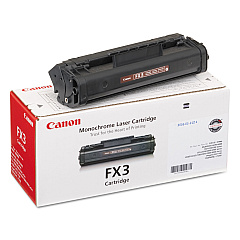
Enhance your printing experience with Canon LC1060 Toner Cartridges, designed specifically for the Canon LC1060 laser copier. These high-quality cartridges ensure crisp, professional-grade output for all your business, educational, or healthcare documentation needs. The Canon FX-3 Black Toner Cartridge, compatible with the LC1060, delivers exceptional clarity and consistency for text and graphics. With its reliable performance and long-lasting yield, you'll minimize downtime and maximize productivity. Perfect for high-volume printing environments, these toner cartridges maintain the superior standards expected from Canon products. Whether you're printing reports, presentations, or official documents, Canon LC1060 Toner Cartridges provide the quality and efficiency your organization demands. Trust in Canon's innovative technology to keep your printing tasks running smoothly and your documents looking impeccable.

Canon LC1060 Printers Supplies FAQs

  • What is the page yield of the Canon FX-3 Black Toner Cartridge?

    The Canon FX-3 Black Toner Cartridge typically yields approximately 2,700 pages at 5% coverage.

  • Is the Canon FX-3 toner cartridge compatible with other Canon printers?

    The Canon FX-3 toner cartridge is specifically designed for the Canon LC1060 and may not be compatible with other Canon printer models.

  • How long does a Canon LC1060 toner cartridge typically last?

    The lifespan of a toner cartridge depends on usage, but under normal conditions, it can last several months to a year.

  • Can I recycle used Canon LC1060 toner cartridges?

    Yes, Canon offers a recycling program for used toner cartridges. Check their website for details on how to participate.

  • Are there any environmental benefits to using genuine Canon toner cartridges?

    Yes, genuine Canon toner cartridges are designed to be energy-efficient and produce less waste, contributing to a reduced environmental impact.

  • How can I tell if my Canon LC1060 toner cartridge is running low?

    The printer will typically display a low toner warning on its control panel or through your computer's print dialog when the cartridge is running low.

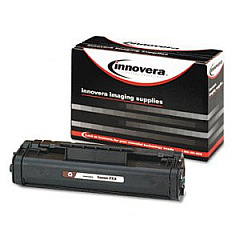
  • Is it safe to use third-party toner cartridges in my Canon LC1060?

    While third-party cartridges may work, using genuine Canon toner cartridges ensures optimal performance and prevents potential damage to your printer.

  • How should I store unused Canon LC1060 toner cartridges?

    Store unused toner cartridges in a cool, dry place away from direct sunlight. Keep them in their original packaging until ready for use.

  • Can I shake the toner cartridge to extend its life?

    Gently shaking the cartridge from side to side can help redistribute toner and potentially extend its life, but this should be done carefully to avoid spills.

  • What should I do if my Canon LC1060 prints become faded or streaky?

    First, try removing and gently shaking the toner cartridge. If the issue persists, the cartridge may need to be replaced or the printer may require maintenance.

Warehouse Locations

Policy & Agreement | Copyright © 1995-2026 BlueDogInk.com
