





Ads

Canon LBP-1110 SE Black Toner Cartridges

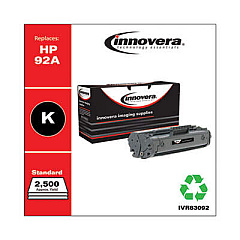
Ensure uninterrupted printing with high-quality Canon LBP-1110 SE Toner Cartridges. These reliable cartridges are designed to deliver crisp, professional-grade text and graphics for your business, educational, healthcare, or government printing needs. Compatible with the Canon LBP-1110 SE printer, these toner cartridges offer exceptional value and performance. The Innovera Remanufactured Black Toner, a replacement for the 92A (4092A), provides an eco-friendly and cost-effective alternative without compromising on print quality. With a focus on sustainability and efficiency, these cartridges help reduce waste while maintaining the high standards expected from Canon products. Whether you're printing important documents, reports, or presentations, Canon LBP-1110 SE Toner Cartridges ensure consistent, professional results page after page. Choose these reliable toner cartridges to maximize your printer's potential and keep your operations running smoothly.

Canon LBP-1110 SE Toner Cartridges FAQs

  • What is the page yield of the Canon LBP-1110 SE toner cartridge?

    The page yield varies depending on the specific cartridge model, but typically ranges from 2,500 to 3,000 pages at 5% coverage.

  • Is the Innovera Remanufactured Black Toner compatible with the Canon LBP-1110 SE printer?

    Yes, the Innovera Remanufactured Black Toner is fully compatible with the Canon LBP-1110 SE printer.

  • How long does a Canon LBP-1110 SE toner cartridge typically last?

    The lifespan of a toner cartridge depends on usage, but under normal printing conditions, it can last several months to a year.

  • Are remanufactured toner cartridges as good as original Canon cartridges?

    Remanufactured cartridges like the Innovera model are designed to meet or exceed OEM standards, offering comparable quality at a lower cost.

  • Can I recycle my used Canon LBP-1110 SE toner cartridges?

    Yes, Canon offers a recycling program for used toner cartridges. Check their website or local recycling centers for details.

  • How do I install a new toner cartridge in my Canon LBP-1110 SE printer?

    To install, open the printer cover, remove the old cartridge, unpack the new one, and insert it into the printer until it clicks into place.

  • What should I do if I experience print quality issues with my Canon LBP-1110 SE toner cartridge?

    Try removing and gently shaking the cartridge to redistribute the toner. If issues persist, check for damage or consider replacing the cartridge.

  • Can I use third-party toner cartridges in my Canon LBP-1110 SE printer?

    While third-party cartridges may work, using Canon-approved or high-quality remanufactured cartridges like Innovera ensures optimal performance and prevents potential damage to your printer.

  • How do I know when it's time to replace my Canon LBP-1110 SE toner cartridge?

    Your printer will typically display a low toner warning. You may also notice faded prints or streaks, indicating it's time for a replacement.

  • Are Canon LBP-1110 SE toner cartridges available in colors other than black?

    No, the Canon LBP-1110 SE is a monochrome printer, so only black toner cartridges are available for this model.

Warehouse Locations

Policy & Agreement | Copyright © 1995-2026 BlueDogInk.com
