





Ads

Canon LaserCLASS 730i Black Toner Cartridges

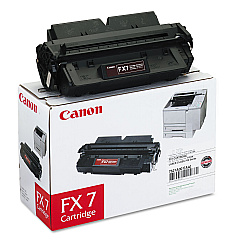
Ensure uninterrupted productivity with genuine Canon LaserCLASS 730i Toner Cartridges. These high-quality consumables are specifically designed for the Canon LaserCLASS 730i printer, delivering crisp, professional-grade output for your business documents. The Canon FX-7 Black Toner Cartridge is the perfect choice for this model, offering exceptional print quality and reliability. With its high-yield capacity, you'll enjoy fewer cartridge changes and reduced downtime. These toner cartridges are engineered to work seamlessly with your Canon LaserCLASS 730i, preventing potential damage to your printer and maintaining its optimal performance. Whether you're printing important business proposals, educational materials, or healthcare documents, these toner cartridges ensure consistent, smudge-free results. Invest in genuine Canon LaserCLASS 730i Toner Cartridges to maximize your printer's efficiency and produce professional-quality prints that make a lasting impression.

Canon LaserCLASS 730i Fax Machines Supplies FAQs

  • What is the page yield of the Canon FX-7 Black Toner Cartridge?

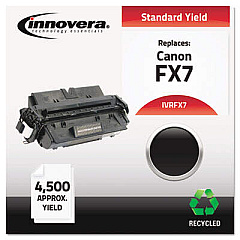
    The Canon FX-7 Black Toner Cartridge typically yields approximately 4,500 pages at 5% coverage.

  • Are these toner cartridges compatible with other Canon printer models?

    The Canon FX-7 Black Toner Cartridge is specifically designed for the Canon LaserCLASS 730i and may not be compatible with other models. Always check your printer's compatibility before purchasing.

  • How long do these toner cartridges last?

    The lifespan of the toner cartridge depends on your printing volume and habits. Under normal use, it can last several months to a year.

  • Can I use third-party or refilled toner cartridges in my Canon LaserCLASS 730i?

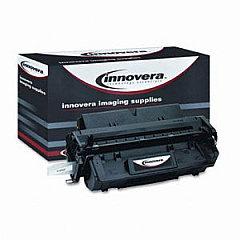
    While third-party cartridges may work, using genuine Canon toner cartridges is recommended to ensure optimal print quality and prevent potential damage to your printer.

  • How do I install the Canon FX-7 Black Toner Cartridge?

    Installation is simple. Open the printer's front cover, remove the old cartridge, unpack the new one, and insert it into the printer until it clicks into place. Close the cover to complete installation.

  • What should I do with my empty toner cartridges?

    Canon offers a recycling program for empty toner cartridges. You can return them to Canon or dispose of them through local recycling facilities that accept electronic waste.

  • How can I tell if my toner cartridge is running low?

    Your Canon LaserCLASS 730i printer will display a low toner warning on its control panel when the cartridge is nearing the end of its life.

  • Are these toner cartridges covered by a warranty?

    Yes, genuine Canon toner cartridges come with a limited warranty against defects in materials and workmanship under normal use and service.

  • Can I store unused toner cartridges for later use?

    Yes, you can store unused toner cartridges. Keep them in their original packaging in a cool, dry place away from direct sunlight. Use them within the expiration date printed on the package.

  • How can I maximize the life of my toner cartridge?

    To extend cartridge life, use draft mode for internal documents, print in black and white when possible, and avoid unnecessary printing. Regular printer maintenance also helps optimize toner usage.

Warehouse Locations

Policy & Agreement | Copyright © 1995-2026 BlueDogInk.com
