





Ads

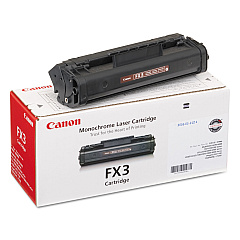
Canon LASER CLASS 2060 Black Toner Cartridges

Ensure uninterrupted productivity with genuine Canon LASER CLASS 2060 Toner Cartridges. These high-quality consumables are specifically designed for optimal performance in your Canon LASER CLASS 2060 fax machine. The Canon FX-3 Black Toner Cartridge delivers crisp, clear text and sharp images, making it ideal for professional business communications, educational institutions, government offices, and healthcare facilities. With its reliable output and long-lasting formula, this toner cartridge minimizes downtime and reduces overall printing costs. Compatible with various Canon fax models, the FX-3 cartridge offers versatility and convenience. Experience consistent, high-quality results page after page with these genuine Canon toner cartridges. Don't compromise on quality – choose authentic Canon supplies to maintain your fax machine's performance and extend its lifespan. Order your Canon LASER CLASS 2060 Toner Cartridges today and enjoy superior fax output for all your important documents.

Canon LASER CLASS 2060 Printers Supplies FAQs

  • What is the page yield of the Canon FX-3 Black Toner Cartridge?

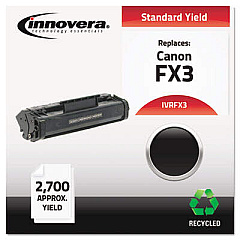
    The Canon FX-3 Black Toner Cartridge typically yields approximately 2,700 pages at 5% coverage.

  • Is the Canon FX-3 compatible with other Canon fax machines?

    Yes, the Canon FX-3 is compatible with several Canon fax models, including the LASER CLASS 2050, 2060P, and 7700 series.

  • How can I tell if my Canon FX-3 toner cartridge is genuine?

    Genuine Canon toner cartridges have a hologram security label and unique serial numbers. You can also verify authenticity on Canon's official website.

  • What should I do with my empty Canon FX-3 toner cartridge?

    Canon offers a recycling program for empty toner cartridges. You can return them to Canon or participating retailers for environmentally friendly disposal.

  • How long does a Canon FX-3 toner cartridge typically last?

    The lifespan of a toner cartridge depends on usage, but under normal conditions, it can last several months to a year.

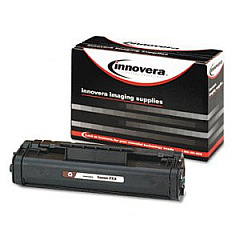
  • Can I use third-party toner cartridges in my Canon LASER CLASS 2060?

    While third-party cartridges may work, using genuine Canon toner cartridges ensures optimal performance and protects your machine's warranty.

  • How should I store unused Canon FX-3 toner cartridges?

    Store unused cartridges in a cool, dry place away from direct sunlight. Keep them in their original packaging until ready for use.

  • What should I do if my Canon LASER CLASS 2060 displays a 'low toner' message?

    When you see a 'low toner' message, order a replacement Canon FX-3 cartridge. You can continue printing until print quality diminishes.

  • Is it possible to refill the Canon FX-3 toner cartridge?

    While refilling is possible, it's not recommended as it may compromise print quality and potentially damage your fax machine.

  • How do I install a new Canon FX-3 toner cartridge in my LASER CLASS 2060?

    Open the front cover, remove the old cartridge, unpack the new one, and insert it until it clicks into place. Close the cover to complete installation.

Warehouse Locations

Policy & Agreement | Copyright © 1995-2026 BlueDogInk.com
