





Ads

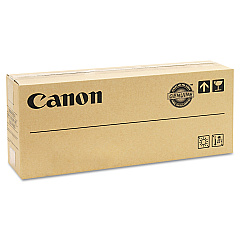
Canon imageRUNNER Advance DX6765i Black Toner Cartridges

Ensure peak performance and exceptional print quality with Canon imageRUNNER Advance DX6765i Toner Cartridges. These high-yield cartridges are specifically designed for the DX6765i model, delivering crisp, professional-grade documents for businesses, educational institutions, government offices, healthcare facilities, and wholesale operations. The Canon GPR-38 Black Toner Cartridge is the cornerstone of this lineup, offering superior coverage and longevity. By choosing genuine Canon toner, you'll maximize your device's efficiency, reduce downtime, and maintain consistent output quality. These cartridges are engineered to work seamlessly with your imageRUNNER Advance DX6765i, ensuring optimal performance and reliability. Invest in Canon's premium toner solutions to keep your office running smoothly and productively, meeting the demands of high-volume printing environments with ease.

Canon imageRUNNER Advance DX6765i Toner Cartridges FAQs

  • How long does a Canon GPR-38 Black Toner Cartridge typically last?

    The Canon GPR-38 Black Toner Cartridge typically yields around 56,000 pages, depending on print coverage and usage patterns.

  • Are these toner cartridges compatible with other Canon imageRUNNER models?

    The Canon GPR-38 Black Toner Cartridge is specifically designed for the imageRUNNER Advance DX6765i and may not be compatible with other models. Always check your printer's specifications for the correct toner.

  • Can I use third-party toner cartridges in my Canon imageRUNNER Advance DX6765i?

    While third-party cartridges may work, using genuine Canon toner cartridges is recommended to ensure optimal performance, print quality, and to maintain your printer's warranty.

  • How do I install a new toner cartridge in the Canon imageRUNNER Advance DX6765i?

    To install a new toner cartridge, open the front cover, remove the old cartridge, shake the new one gently, remove the protective cover, and insert it into the printer until it clicks into place.

  • What should I do with my used toner cartridges?

    Canon offers a recycling program for used toner cartridges. You can return them to Canon or participate in local recycling initiatives to dispose of them responsibly.

  • How can I tell when my toner cartridge needs to be replaced?

    The printer will display a message on its control panel when toner is low. You may also notice a decrease in print quality or faded text as the toner nears depletion.

  • Are these toner cartridges environmentally friendly?

    Canon designs its toner cartridges with environmental considerations in mind, using recyclable materials and offering recycling programs to minimize environmental impact.

  • Can I store extra toner cartridges for future use?

    Yes, you can store extra toner cartridges. Keep them in a cool, dry place away from direct sunlight and use them before their expiration date for best results.

  • Does using genuine Canon toner cartridges affect my printer's warranty?

    Using genuine Canon toner cartridges helps maintain your printer's warranty. Non-Canon cartridges may void the warranty if they cause damage to the printer.

  • How do I know if I'm buying a genuine Canon toner cartridge?

    Look for the Canon hologram on the packaging and purchase from authorized retailers. You can also verify the authenticity through Canon's official website using the cartridge's serial number.

Warehouse Locations

Policy & Agreement | Copyright © 1995-2026 BlueDogInk.com
