





Ads

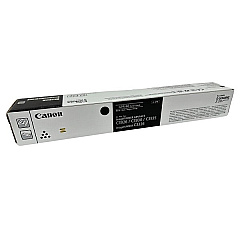
Canon imageRUNNER ADVANCE DX C5870i Black Toner Cartridges

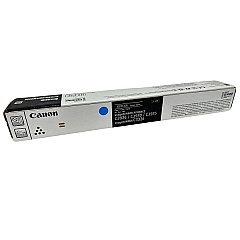
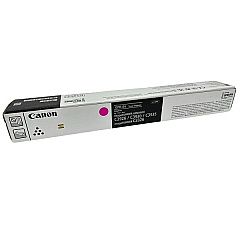
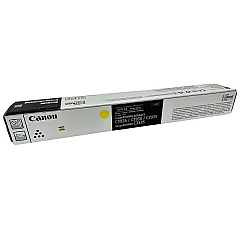
Canon imageRUNNER ADVANCE DX C5870i Color Toner Cartridges

Enhance your office productivity with genuine Canon imageRUNNER ADVANCE DX C5870i Toner Cartridges. These high-quality toner cartridges are designed specifically for the Canon imageRUNNER ADVANCE DX C5870i multifunction printer, ensuring optimal performance and exceptional print quality. The set includes four essential colors: Canon GPR-61 Black (3763C003), Cyan (3764C003), Magenta (3765C003), and Yellow (3766C003) toner cartridges. Each cartridge is engineered to deliver crisp text, vibrant colors, and sharp images, meeting the demands of busy office environments. With their high yield and reliability, these toner cartridges minimize downtime and maximize efficiency. Trust in Canon's superior technology to produce professional-grade documents consistently. Invest in genuine Canon toner cartridges to protect your printer and maintain its peak performance, ensuring your business communications always make a lasting impression.

Canon imageRUNNER ADVANCE DX C5870i Printers Supplies FAQs

  • How long do Canon imageRUNNER ADVANCE DX C5870i Toner Cartridges typically last?

    The lifespan of these toner cartridges varies depending on usage, but they generally yield several thousand pages before needing replacement.

  • Are these toner cartridges compatible with other Canon printers?

    These specific GPR-61 toner cartridges are designed for the Canon imageRUNNER ADVANCE DX C5870i and may not be compatible with other models.

  • Can I use third-party toner cartridges instead of genuine Canon cartridges?

    While third-party options exist, using genuine Canon toner cartridges ensures optimal print quality and protects your printer's warranty.

  • How do I know when it's time to replace a toner cartridge?

    The printer will typically display a low toner warning when a cartridge needs replacement. You may also notice a decrease in print quality.

  • Are these toner cartridges environmentally friendly?

    Canon designs its toner cartridges with environmental considerations in mind, and they offer recycling programs for used cartridges.

  • Can I replace just one color cartridge at a time?

    Yes, you can replace individual color cartridges as needed without having to replace the entire set.

  • How should I store unused toner cartridges?

    Store unused cartridges in a cool, dry place away from direct sunlight and extreme temperatures to maintain their quality.

  • What's the difference between toner and ink cartridges?

    Toner cartridges contain a fine powder and are used in laser printers, while ink cartridges contain liquid ink and are used in inkjet printers.

  • How do I properly install a new toner cartridge?

    Follow the instructions in your printer's manual carefully. Generally, you'll need to open the printer, remove the old cartridge, and insert the new one until it clicks into place.

  • What should I do with my used toner cartridges?

    Canon offers a recycling program for used toner cartridges. You can also check with local office supply stores or recycling centers for proper disposal options.

Warehouse Locations

Policy & Agreement | Copyright © 1995-2026 BlueDogInk.com
