





Ads

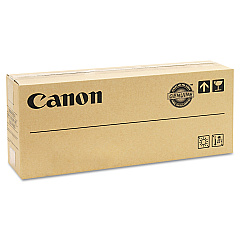
Canon imageRUNNER Advance C2220i Black Toner Cartridges

Canon imageRUNNER Advance C2220i Color Toner Cartridges

Enhance your office productivity with genuine Canon imageRUNNER Advance C2220i Toner Cartridges. These high-quality consumables ensure optimal performance and stunning print quality for your Canon C2220i multifunction printer. The complete set includes the Canon GPR-36 Black, Cyan, Magenta, and Yellow Toner Cartridges, delivering vibrant colors and crisp text for all your business documents. Designed specifically for the imageRUNNER Advance C2220i, these toner cartridges offer reliable, long-lasting performance and excellent page yields. Whether you're printing reports, presentations, or marketing materials, these genuine Canon toners provide consistent, professional results. Invest in authentic Canon imageRUNNER Advance C2220i Toner Cartridges to maximize your printer's efficiency and maintain the highest standards of print quality for your organization's diverse printing needs.

Canon imageRUNNER Advance C2220i Toner Cartridges FAQs

  • What is the page yield for Canon GPR-36 toner cartridges?

    The page yield varies by color. Black typically yields around 23,000 pages, while each color (Cyan, Magenta, Yellow) yields approximately 19,000 pages.

  • Are these toner cartridges compatible with other Canon printers?

    These GPR-36 toner cartridges are specifically designed for the Canon imageRUNNER Advance C2220i and may not be compatible with other models.

  • How often should I replace the toner cartridges?

    Replacement frequency depends on your printing volume. Monitor your printer's toner level indicators and replace when prompted or when print quality diminishes.

  • Can I use third-party toner cartridges in my Canon imageRUNNER Advance C2220i?

    While third-party options exist, using genuine Canon toner cartridges ensures optimal print quality and prevents potential damage to your printer.

  • How do I install new toner cartridges in the Canon imageRUNNER Advance C2220i?

    Consult your printer's user manual for specific instructions. Generally, you'll need to open the front panel, remove the old cartridge, and insert the new one until it clicks into place.

  • Are these toner cartridges environmentally friendly?

    Canon designs its toner cartridges with environmental considerations in mind, including recyclable materials and participation in recycling programs.

  • What should I do with empty toner cartridges?

    Canon offers a recycling program for empty toner cartridges. Check their website or contact your local Canon representative for details on how to participate.

  • Can I buy individual color cartridges or do I need to purchase a complete set?

    You can purchase individual color cartridges as needed. It's not necessary to replace all colors at once unless required.

  • How long can I store unused toner cartridges?

    Unopened toner cartridges can typically be stored for about two years. Keep them in a cool, dry place away from direct sunlight.

  • Does using genuine Canon toner cartridges affect my printer's warranty?

    Using genuine Canon toner cartridges helps maintain your printer's warranty. Non-Canon cartridges may void the warranty if they cause damage to the printer.

Warehouse Locations

Policy & Agreement | Copyright © 1995-2026 BlueDogInk.com
