




Ads

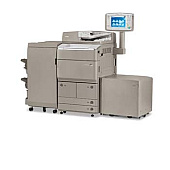
Canon imageRUNNER ADVANCE 8285 Black Toner Cartridges

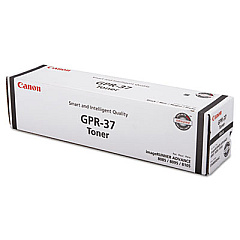
Ensure uninterrupted productivity with genuine Canon imageRUNNER ADVANCE 8285 Toner Cartridges. These high-quality consumables are specifically designed for optimal performance in your Canon imageRUNNER ADVANCE 8285 multifunction printer. The Canon GPR-37 Black Toner Cartridge delivers crisp, professional-grade text and images, making it ideal for businesses, educational institutions, government offices, and healthcare facilities. With its high yield and consistent output, this toner cartridge minimizes downtime and reduces overall printing costs. Compatible with various imageRUNNER ADVANCE models, these cartridges offer seamless integration and reliable results. Choose authentic Canon toner to maintain your printer's efficiency and protect your investment. Whether you're printing reports, presentations, or everyday documents, Canon imageRUNNER ADVANCE 8285 Toner Cartridges ensure exceptional quality and performance, meeting the demands of high-volume printing environments.

Canon imageRUNNER ADVANCE 8285 Printers Supplies FAQs

  • What is the page yield of the Canon GPR-37 Black Toner Cartridge?

    The Canon GPR-37 Black Toner Cartridge typically yields approximately 70,000 pages at 5% coverage.

  • Is the Canon GPR-37 compatible with other imageRUNNER ADVANCE models?

    Yes, the Canon GPR-37 is compatible with several imageRUNNER ADVANCE models, including the 8285, 8295, and 8205.

  • How can I tell if my toner cartridge is genuine Canon?

    Genuine Canon toner cartridges have a hologram security label and a unique serial number that can be verified on Canon's website.

  • What is the shelf life of Canon imageRUNNER ADVANCE 8285 Toner Cartridges?

    When stored properly in a cool, dry place, Canon toner cartridges typically have a shelf life of about 2 years from the date of manufacture.

  • Can I recycle used Canon toner cartridges?

    Yes, Canon offers a recycling program for used toner cartridges. You can return them to Canon or participating retailers for proper recycling.

  • How often should I replace the toner cartridge in my Canon imageRUNNER ADVANCE 8285?

    Replacement frequency depends on your printing volume. The printer will alert you when toner levels are low and replacement is necessary.

  • Are there any precautions I should take when handling toner cartridges?

    Avoid touching the photosensitive drum, handle cartridges gently, and store them in a cool, dry place away from direct sunlight.

  • Can I use third-party toner cartridges in my Canon imageRUNNER ADVANCE 8285?

    While third-party cartridges may work, using genuine Canon toner ensures optimal print quality and prevents potential damage to your printer.

  • How do I install a new toner cartridge in the Canon imageRUNNER ADVANCE 8285?

    Open the front cover, remove the old cartridge, shake the new one gently, remove the protective cover, and insert it until it clicks into place.

  • What should I do if I experience print quality issues with my Canon toner cartridge?

    First, ensure the cartridge is properly installed. If issues persist, try printing a test page or cleaning the print head. If problems continue, contact Canon support.

Warehouse Locations

Policy & Agreement | Copyright © 1995-2026 BlueDogInk.com
