




Ads

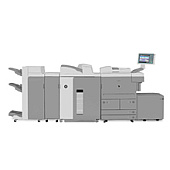
Canon imageRUNNER 7095 Black Toner Cartridges

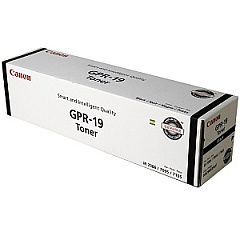
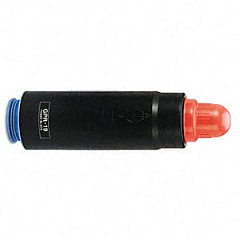
Ensure uninterrupted productivity with genuine Canon imageRUNNER 7095 Toner Cartridges. These high-quality consumables are specifically designed for the Canon imageRUNNER 7095, delivering exceptional print quality and reliability. The Canon GPR-19 Black Toner Cartridge is the perfect choice for this powerful multifunction device, offering crisp, clear text and sharp images. With a high yield capacity, these toner cartridges minimize downtime and reduce overall printing costs. Whether you're in a busy office, educational institution, or healthcare facility, these toner cartridges provide consistent performance and professional results. Don't compromise on quality – choose authentic Canon toner cartridges to maintain your imageRUNNER 7095's optimal performance. Experience the difference in print quality and efficiency with genuine Canon supplies, ensuring your documents always make a lasting impression.

Canon imageRUNNER 7095 Printers Supplies FAQs

  • What is the yield of the Canon GPR-19 Black Toner Cartridge?

    The Canon GPR-19 Black Toner Cartridge typically yields approximately 33,000 pages at 5% coverage.

  • Are compatible toner cartridges available for the Canon imageRUNNER 7095?

    While compatible options may exist, we recommend using genuine Canon toner cartridges for optimal performance and print quality.

  • How often should I replace the toner cartridge in my Canon imageRUNNER 7095?

    Replacement frequency depends on usage, but typically when print quality diminishes or the printer indicates low toner levels.

  • Can I recycle used Canon imageRUNNER 7095 toner cartridges?

    Yes, Canon offers a recycling program for used toner cartridges. Check their website for details on how to participate.

  • Is the Canon GPR-19 Black Toner Cartridge compatible with other Canon printers?

    The GPR-19 is specifically designed for the Canon imageRUNNER 7095 and may not be compatible with other models.

  • How can I extend the life of my Canon imageRUNNER 7095 toner cartridge?

    To extend toner life, use draft mode for internal documents, print in black and white when possible, and keep the printer in a clean environment.

  • What should I do if I experience print quality issues with my Canon imageRUNNER 7095?

    First, check if the toner is low. If not, try cleaning the print heads and ensuring you're using genuine Canon toner cartridges.

  • Can I store spare Canon imageRUNNER 7095 toner cartridges for future use?

    Yes, store them in a cool, dry place away from direct sunlight. Properly stored, unopened cartridges can last for about two years.

  • How do I properly install a new toner cartridge in my Canon imageRUNNER 7095?

    Refer to the printer's user manual for step-by-step instructions. Generally, you'll need to open the front panel, remove the old cartridge, and insert the new one until it clicks into place.

  • Are there any safety precautions I should take when handling Canon imageRUNNER 7095 toner cartridges?

    Avoid touching the imaging drum, don't shake the cartridge vigorously, and wash your hands after handling. If toner spills, clean it with cool water to prevent staining.

Warehouse Locations

Policy & Agreement | Copyright © 1995-2026 BlueDogInk.com
