





Ads

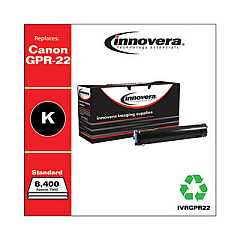
Canon imageRUNNER 1024 iF Black Toner Cartridges

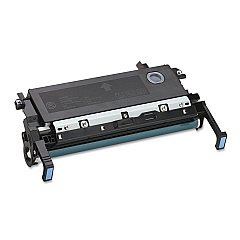
Canon imageRUNNER 1024 iF Drum Units

Enhance your office productivity with genuine Canon imageRUNNER 1024 iF Toner Cartridges. These high-quality consumables are specifically designed for optimal performance in your Canon imageRUNNER 1024 iF multifunction printer. Utilizing the reliable Canon GPR-22 Imaging Drum, these toner cartridges deliver crisp, professional-grade prints with exceptional clarity and consistency. Whether you're printing important business documents, educational materials, or healthcare records, these cartridges ensure superior results every time. With their long-lasting formula, you'll enjoy reduced downtime and lower printing costs. Compatible with government, wholesale, and various professional environments, these toner cartridges maintain the integrity of your Canon device while producing sharp, smudge-free output. Invest in authentic Canon imageRUNNER 1024 iF Toner Cartridges to maximize your printer's potential and achieve outstanding print quality for all your critical documents.

Canon imageRUNNER 1024 iF Printers Supplies FAQs

  • What is the page yield of the Canon imageRUNNER 1024 iF toner cartridge?

    The page yield varies depending on the specific cartridge model, but it typically ranges from 8,400 to 10,200 pages at 5% coverage.

  • Are these toner cartridges compatible with other Canon printers?

    These cartridges are specifically designed for the Canon imageRUNNER 1024 iF model. They may not be compatible with other Canon printer models.

  • How often should I replace the Canon GPR-22 Imaging Drum?

    The Canon GPR-22 Imaging Drum typically needs replacement after processing approximately 26,000 pages, depending on usage and print conditions.

  • Can I use third-party toner cartridges in my Canon imageRUNNER 1024 iF?

    While third-party cartridges may work, using genuine Canon toner cartridges ensures optimal print quality and prevents potential damage to your printer.

  • How do I install the toner cartridge in my Canon imageRUNNER 1024 iF?

    To install, open the front cover, remove the old cartridge, unpack the new one, shake it gently, and insert it into the printer until it clicks into place.

  • What should I do with my used toner cartridges?

    Canon offers a recycling program for used toner cartridges. You can return them to Canon or participating retailers for environmentally friendly disposal.

  • How long can I store unused toner cartridges?

    Unopened toner cartridges can be stored for about two years from the date of purchase when kept in a cool, dry place away from direct sunlight.

  • Will using genuine Canon toner cartridges void my printer's warranty?

    No, using genuine Canon toner cartridges will not void your printer's warranty. In fact, it's recommended to maintain your warranty and ensure optimal performance.

  • Can I refill my Canon imageRUNNER 1024 iF toner cartridges?

    Canon does not recommend refilling toner cartridges as it may compromise print quality and potentially damage your printer.

  • How can I tell if my toner cartridge is running low?

    Your Canon imageRUNNER 1024 iF will display a low toner warning on its control panel when the cartridge is nearing depletion.

Warehouse Locations

Policy & Agreement | Copyright © 1995-2026 BlueDogInk.com
