










Ads

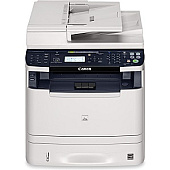
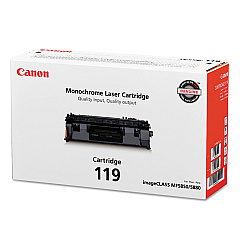
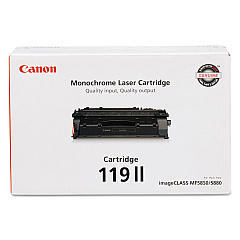
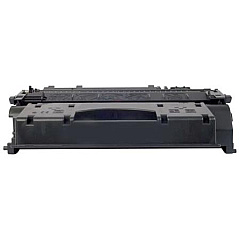
Canon imageCLASS MF6180dw Black Toner Cartridges

Canon imageCLASS MF6180dw Copy Paper

Canon imageCLASS MF6180dw Warranty and Services

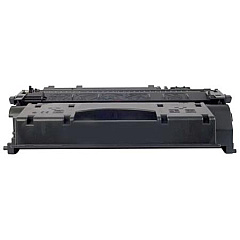
Ensure uninterrupted productivity with genuine Canon imageCLASS MF6180dw Toner Cartridges. These high-quality toner cartridges are designed specifically for the Canon imageCLASS MF6180dw multifunction printer, delivering crisp, professional-grade prints for your business, educational institution, government office, or healthcare facility. Choose between the standard Canon 119 Black Toner Cartridge (3479B001) for everyday printing needs or opt for the high-yield Canon 119 II Black Toner Cartridge (3480B001) to maximize efficiency and reduce replacement frequency. Both options guarantee exceptional print quality, reliability, and cost-effectiveness. By using genuine Canon toner cartridges, you'll protect your printer's warranty and ensure optimal performance. Experience the perfect balance of quality and affordability with Canon imageCLASS MF6180dw Toner Cartridges, keeping your printing operations running smoothly and efficiently.

Canon imageCLASS MF6180dw Toner Cartridges FAQs

  • What is the page yield for the Canon 119 Black Toner Cartridge?

    The Canon 119 Black Toner Cartridge has an approximate page yield of 2,100 pages.

  • What is the page yield for the Canon 119 II Black Toner Cartridge?

    The Canon 119 II Black Toner Cartridge has an approximate page yield of 6,400 pages.

  • Are these toner cartridges compatible with other Canon printers?

    These toner cartridges are specifically designed for the Canon imageCLASS MF6180dw printer. Always check your printer's compatibility before purchasing.

  • How long do these toner cartridges typically last?

    The lifespan of the toner cartridges depends on your printing volume. Under normal use, they can last several months to a year.

  • Can I use third-party toner cartridges in my Canon imageCLASS MF6180dw?

    While third-party cartridges may work, using genuine Canon toner cartridges ensures optimal print quality and protects your printer's warranty.

  • How do I install a new toner cartridge in my Canon imageCLASS MF6180dw?

    Refer to your printer's user manual for step-by-step instructions on replacing the toner cartridge. It's generally a simple process of opening the printer, removing the old cartridge, and inserting the new one.

  • What should I do with my empty toner cartridges?

    Canon offers a recycling program for empty toner cartridges. You can also check with local office supply stores or recycling centers for proper disposal options.

  • How can I extend the life of my toner cartridge?

    To extend toner life, use draft mode for non-critical prints, print in grayscale when possible, and ensure your printer firmware is up to date.

  • Are these toner cartridges covered by a warranty?

    Yes, genuine Canon toner cartridges are typically covered by a limited warranty. Check the packaging or Canon's website for specific warranty details.

  • Can I store unused toner cartridges for long periods?

    Yes, you can store unused toner cartridges for up to two years. Keep them in their original packaging, away from direct sunlight, and in a cool, dry place.

Warehouse Locations

Policy & Agreement | Copyright © 1995-2026 BlueDogInk.com
