










Ads

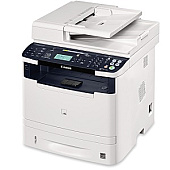
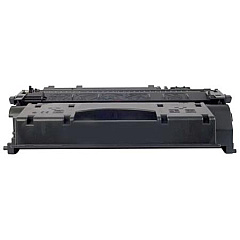
Canon imageCLASS MF6160dw Black Toner Cartridges

Canon imageCLASS MF6160dw Copy Paper

Canon imageCLASS MF6160dw Warranty and Services

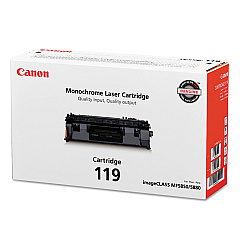
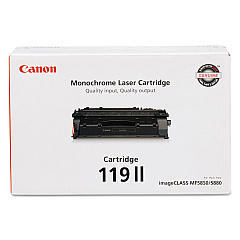
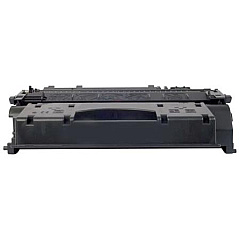
Ensure uninterrupted printing with genuine Canon imageCLASS MF6160dw Toner Cartridges. These high-quality cartridges are designed specifically for the MF6160dw printer, delivering crisp, professional-grade output for your business, educational, or healthcare needs. Choose between the standard Canon 119 Black Toner Cartridge (3479B001) for everyday printing or the high-yield Canon 119 II Black Toner Cartridge (3480B001) for more demanding print volumes. Both options offer exceptional print quality, reliability, and value. With these OEM cartridges, you'll experience consistent performance, reduced printer wear, and optimal page yields. Whether you're printing important documents, reports, or correspondence, Canon imageCLASS MF6160dw Toner Cartridges ensure your prints make a lasting impression. Invest in genuine Canon toner to maximize your printer's potential and maintain its longevity.

Canon imageCLASS MF6160dw Toner Cartridges FAQs

  • What is the page yield for the Canon 119 Black Toner Cartridge?

    The Canon 119 Black Toner Cartridge has an approximate page yield of 2,100 pages.

  • What is the page yield for the Canon 119 II Black Toner Cartridge?

    The Canon 119 II Black Toner Cartridge has an approximate page yield of 6,400 pages.

  • Are these toner cartridges compatible with other Canon printers?

    These cartridges are specifically designed for the Canon imageCLASS MF6160dw. Always check your printer's manual for compatible cartridge models.

  • How long do these toner cartridges typically last?

    The lifespan of a toner cartridge depends on your printing volume. Under normal use, they can last several months to a year.

  • Can I use third-party or refilled cartridges in my Canon imageCLASS MF6160dw?

    While third-party cartridges may work, using genuine Canon cartridges ensures optimal print quality and prevents potential damage to your printer.

  • How do I install a new toner cartridge in my Canon imageCLASS MF6160dw?

    Open the front cover, remove the old cartridge, unpack the new one, and insert it until it clicks into place. Close the cover to complete installation.

  • What should I do with my empty toner cartridges?

    Canon offers a recycling program for empty toner cartridges. You can also check with local office supply stores for recycling options.

  • How can I extend the life of my toner cartridge?

    Use draft mode for non-critical prints, print in grayscale when possible, and ensure your printer firmware is up to date for optimal efficiency.

  • Are these toner cartridges covered by a warranty?

    Yes, genuine Canon toner cartridges are typically covered by a limited warranty against defects in materials and workmanship.

  • Can I store unused toner cartridges for long periods?

    Yes, store unopened cartridges in a cool, dry place away from direct sunlight. They can typically be stored for up to two years without degradation.

Warehouse Locations

Policy & Agreement | Copyright © 1995-2026 BlueDogInk.com
