









Ads

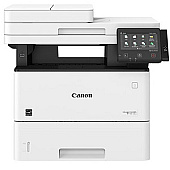
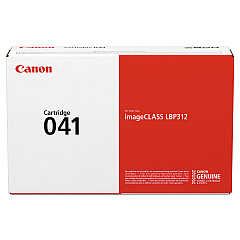
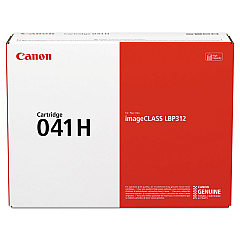
Canon imageCLASS MF525dw Black Toner Cartridges

Canon imageCLASS MF525dw Copy Paper

Ensure uninterrupted productivity with genuine Canon imageCLASS MF525dw Toner Cartridges. These high-quality consumables are designed specifically for the Canon imageCLASS MF525dw multifunction printer, delivering crisp, professional-grade black and white prints. Choose between the standard Canon 041 Black Toner Cartridge for everyday printing needs or the high-yield Canon 041H Black Toner Cartridge for extended print runs and cost-effective operation. Both options guarantee consistent, smudge-free output and optimal performance of your Canon device. By using authentic Canon toner cartridges, you'll maintain the printer's warranty while benefiting from superior print quality and reliability. Whether you're printing important business documents, educational materials, or healthcare records, these toner cartridges ensure your Canon imageCLASS MF525dw produces sharp, legible text and clear graphics every time. Invest in genuine Canon supplies to maximize your printer's potential and minimize downtime.

Canon imageCLASS MF525dw Toner Cartridges FAQs

  • What is the page yield for the Canon 041 Black Toner Cartridge?

    The Canon 041 Black Toner Cartridge has an approximate yield of 10,000 pages at 5% coverage.

  • What is the page yield for the Canon 041H Black Toner Cartridge?

    The Canon 041H Black Toner Cartridge has an approximate yield of 20,000 pages at 5% coverage.

  • Are these toner cartridges compatible with other Canon printers?

    These toner cartridges are specifically designed for the Canon imageCLASS MF525dw. Always check your printer's manual for compatible cartridge models.

  • How long do these toner cartridges typically last?

    The lifespan of a toner cartridge depends on print volume and coverage. Under normal use, the 041 cartridge may last several months, while the 041H could last even longer.

  • Can I use third-party toner cartridges in my Canon imageCLASS MF525dw?

    While third-party cartridges may work, using genuine Canon toner cartridges ensures optimal print quality and maintains your printer's warranty.

  • How do I install a new toner cartridge in the Canon imageCLASS MF525dw?

    Consult your printer's user manual for detailed instructions. Generally, you'll need to open the front cover, remove the old cartridge, and insert the new one until it clicks into place.

  • What should I do with my empty toner cartridges?

    Canon offers a recycling program for empty toner cartridges. Check their website or contact a local Canon dealer for information on how to recycle your used cartridges responsibly.

  • How can I tell if my toner cartridge is running low?

    The Canon imageCLASS MF525dw has a toner level indicator on its display panel. You can also check toner levels through the printer's web interface or driver software on your computer.

  • Are these toner cartridges covered by a warranty?

    Yes, genuine Canon toner cartridges are typically covered by a limited warranty. Check the packaging or Canon's website for specific warranty details.

  • Can I store extra toner cartridges for future use?

    Yes, you can store unopened toner cartridges for future use. Keep them in a cool, dry place away from direct sunlight and use them before their expiration date for best results.

Warehouse Locations

Policy & Agreement | Copyright © 1995-2026 BlueDogInk.com
