





Ads

Canon imageCLASS MF4550 d Black Toner Cartridges

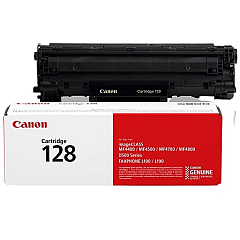
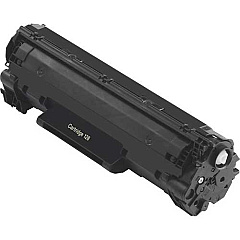
Enhance your printing experience with genuine Canon imageCLASS MF4550 d Toner Cartridges. These high-quality cartridges are designed specifically for the Canon imageCLASS MF4550 d printer, ensuring optimal performance and crisp, professional-looking documents. The Canon 128 Black Toner Cartridge (3500B001) is the perfect choice for businesses, educational institutions, government offices, and healthcare facilities that demand reliable and cost-effective printing solutions. With a generous yield of up to 2,100 pages, this cartridge minimizes interruptions and maximizes productivity. Its advanced formulation guarantees consistent, smudge-free prints with deep blacks and sharp text. By choosing authentic Canon toner cartridges, you're not only investing in superior print quality but also protecting your printer from potential damage caused by third-party alternatives. Trust in Canon imageCLASS MF4550 d Toner Cartridges for all your printing needs.

Canon imageCLASS MF4550 d Toner Cartridges FAQs

  • What is the page yield of the Canon 128 Black Toner Cartridge?

    The Canon 128 Black Toner Cartridge has a page yield of up to 2,100 pages.

  • Is this toner cartridge compatible with other Canon printers?

    The Canon 128 Black Toner Cartridge is specifically designed for the Canon imageCLASS MF4550 d printer and may not be compatible with other models.

  • How long does the toner cartridge typically last?

    The lifespan of the toner cartridge depends on your printing volume, but it can last several months with average use.

  • Are there any environmental benefits to using genuine Canon toner cartridges?

    Yes, genuine Canon toner cartridges are designed with environmental sustainability in mind and can be recycled through Canon's recycling program.

  • Can I use third-party toner cartridges in my Canon imageCLASS MF4550 d printer?

    While third-party cartridges may work, using genuine Canon toner cartridges ensures optimal print quality and protects your printer from potential damage.

  • How do I install the Canon 128 Black Toner Cartridge?

    Installation is simple. Open the printer's front cover, remove the old cartridge, and insert the new one until it clicks into place. Detailed instructions are provided in the printer's manual.

  • What should I do if I experience print quality issues?

    First, ensure you're using a genuine Canon toner cartridge. If issues persist, try cleaning the printer's internal components or contacting Canon support for assistance.

  • Is there a warranty on the Canon 128 Black Toner Cartridge?

    Yes, genuine Canon toner cartridges come with a limited warranty against defects in materials and workmanship.

  • How can I tell if my toner cartridge is running low?

    The printer will display a low toner warning on its LCD screen when the cartridge is nearing the end of its life.

  • Can I buy multiple Canon 128 Black Toner Cartridges in bulk?

    Yes, many suppliers offer bulk purchasing options for Canon toner cartridges, which can be cost-effective for high-volume users.

Warehouse Locations

Policy & Agreement | Copyright © 1995-2026 BlueDogInk.com
